Unable to render embedded object: File (books.jpg) not found.
Go to documentation repository

Page History
Sometimes an alarm must not be considered as an alarm. For example, if the Set of thermal sensors parameter was turned on by mistake. In this case, Monitoring shows a Thermal sensors off alarm that shows that the device is down. Even after the Set of thermal sensors parameter is turned off for the object, the alarm is still opened in Monitoring.
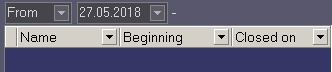
To fix this inconsistency, click the button button  (Force error closing) . To see the list of errors closed in such a way, click the button button
  (Show closed errors) An additional table in the right part of the screen (Fig. 3.7—1).
Anchor
You can double click on an entry in the alarm display area to see the dialog box with an explanation for the errors for the time period of this cell (Fig. 3.7—2).
Fig. 3.7—2 Errors explanation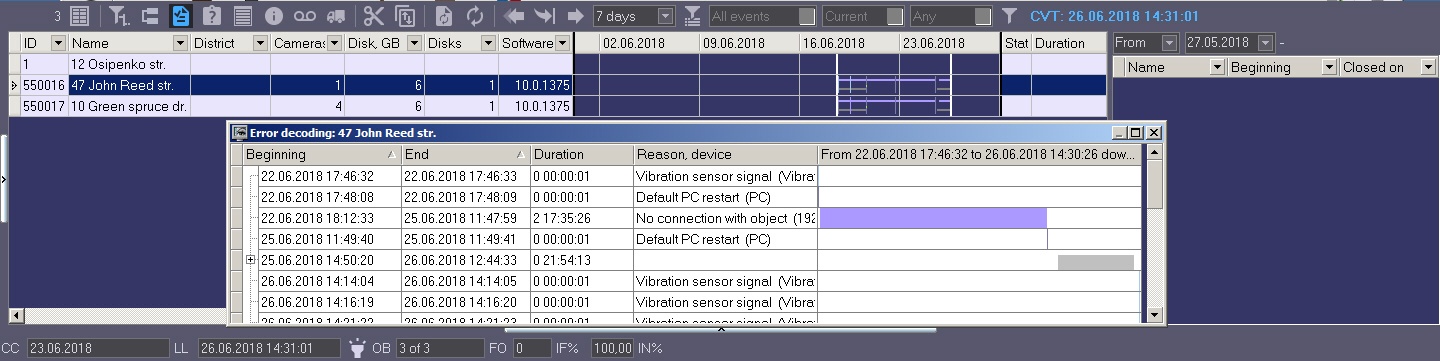
You can double click the area with regulatory and reference information to open the dialog form with a short description of device data (Fig. 3.7—3). Anchor

Overview
Content Tools