Unable to render embedded object: File (books.jpg) not found.
Go to documentation repository

Page History
To configure the program for cases when visualization of snapshots or video clips are received received with alarms on sensors (see Operator's Guide, section Viewing video data on alarms), do the following:
| Info | ||
|---|---|---|
| ||
This setting does not affect the reception of the video data by Search in archive interface object and Data loader. |
- Go to the ATM-Intellect Workstation setting panel.
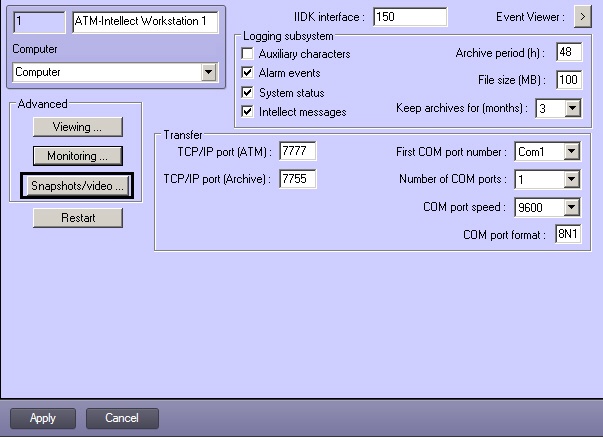
- Click the Snapshots/video… button. A dialog box appears.

- If you need to open received image set the following parameters:
- Set the show received image checkbox (1).
- Specify the full path to the application used to open received JPEG-files (2).
- If you need to open received video clip set the following parameters:
- Set the Playback received clip checkbox (3).
Specify the full path to the application used to play received video files (4).
Info title Note. AVI-files player setting is only used for compatibility with ATM-Intellect Pro older versions which transmitted avi-files. Newer versions transmit files in the Intellect video archive format, which are always opened with the Axxon Player utility.
- Press OK (5).
...
Overview
Content Tools