Unable to render embedded object: File (books.jpg) not found.
Go to documentation repository

Page History
...
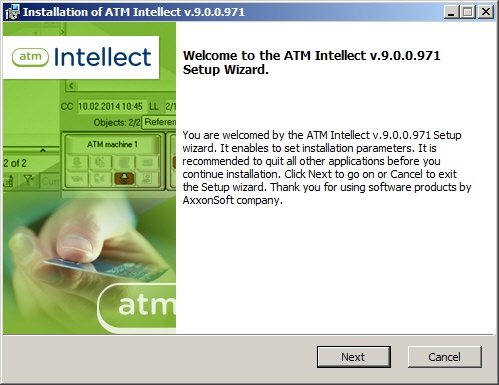
- Start the file setup.exe from the installation kit. The installation wizard informs that the installation process has begun.

- You are prompted to start installation. Click the Next button.
- In the License agreement window read the terms of the End-User License Agreement. Set the switch into the I accept the terms in the license agreement position and press Next.

- Set the ATM-Intellect Pro installation type. Click Next.

- If base Intellect software is installed as service, set the Install ATM-Intellect as a service checkbox. Information about Intellect software current installation type is given under the checkbox. Click Next.

- A dialog box to confirm installation will be displayed. Click Install to run installation process.

- Installation begins.

- After the final installation tasks are completed, the wizard informs that the software has been successfully installed. Click Finish.

ATM-Intellect Pro installation is completed.
История совершенно не звучит шокирующе. Многие согласятся за тебя заплатить. Даже при том что ты не узнаешь. Особенно если это сэкономит им время в очереди. Многое на доверии. Многое простят. В ресторане спокойно скажут — потом принесешь, если забыл бумажник. Т.е. ситуативно — никаких проблем, но сама история выглядит как байка. У всех давно кредитки. Заплатить незаметно кредиткой довольно сложно. 2 человека подряд с кэшем — я давно такого не видел. Купить еды на $140 кстати тоже не так то просто хотя конечно если семья большая — можно. Фразу "Pass it on" я ни разу не слышал.
Overview
Content Tools