
Go to documentation repository


Page History
...
- Go to the settings panel of the Unicard Zone object.
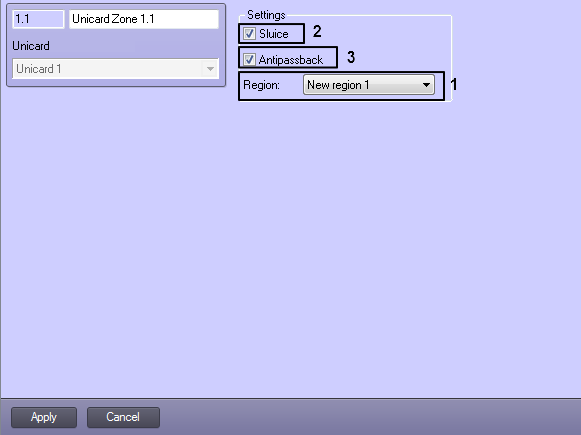
- From the Region: drop-down list select the Region object corresponding to the zone (1).
- If the access point to the zone is a sluice gate, check the Sluice box (2).
- To enable antipassback for the zone, check the Antipassback box. (3)
- Click the Apply button to save the changes.
- Repeat Steps 1-4 for all the zones.
...
Overview
Content Tools