
Go to documentation repository


Page History
Maps are to be selected in Web-server 2.0 in order to function on the mobile client.
Creation and configuration of maps is described in Configuring the interactive map for object state indication and controlling the objects.
| Info | ||
|---|---|---|
| ||
Maps attached to the layers of the selected maps are included in the response to configuration request via HTTP API – see Getting list of objects. |
To select maps for Web-server 2.0, do the following:
- Go to the settings panel for the Web-server 2.0 object.
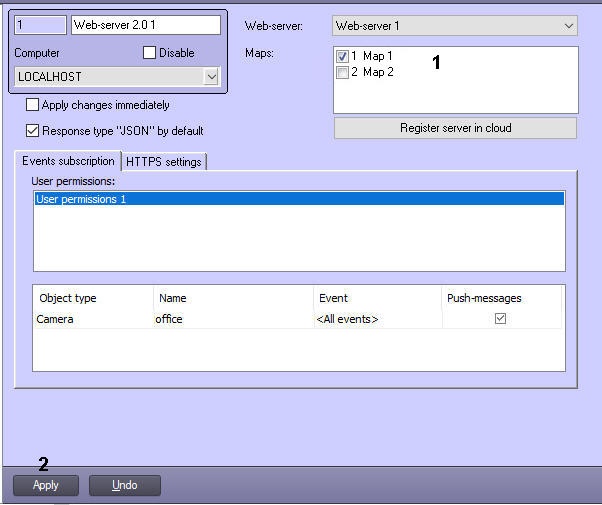
- Set check boxes next to required Map objects (1).
- Click the Apply button (2).
Maps are now selected.
Overview
Content Tools