


Page History
...
- Go to the Track counter object settings panel, which is created on the basis of the Neurotracker object.
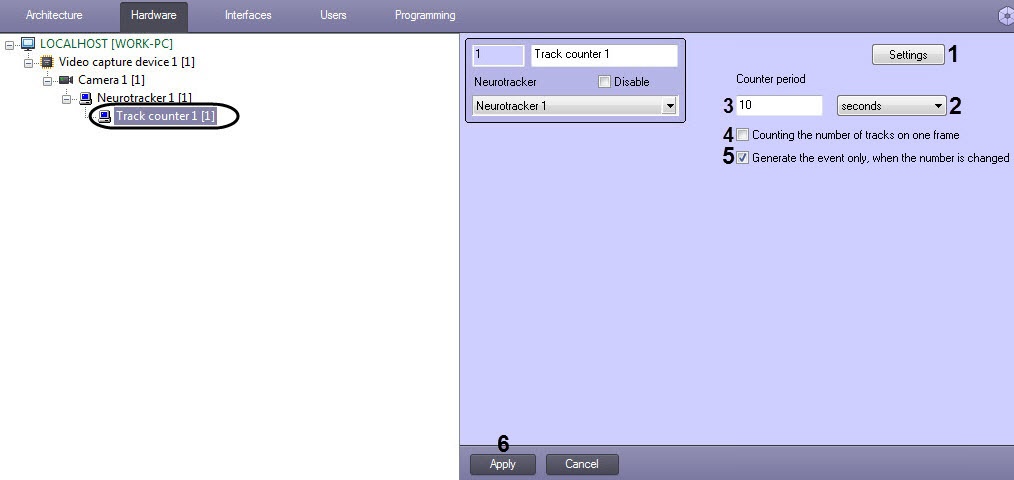

- From the drop-down list (1), select the counter period time unit: seconds, minutes, hours, days.
- In the Counter period field (2), specify the time after which the event will be generated indicating the number of objects from the neurotracker.
- Click the Apply button (3).
...
Overview
Content Tools