


Page History
The permissions are configured in the Allow access to AxxonNet ALLOW AXXONNET TO ACCESS section in the following way:
Enable the Camera (2) parameter if it is necessary to allow access to the camera for QR-code reading capability.
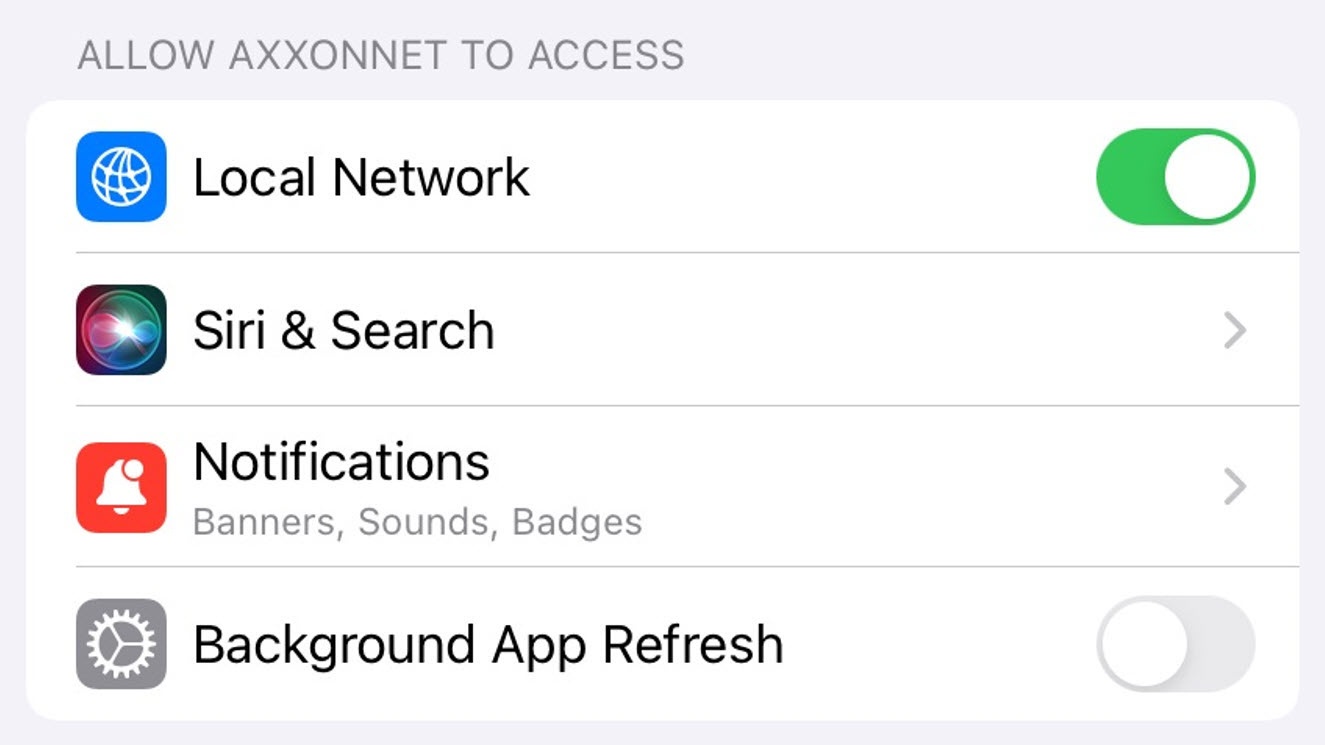
Select Siri and & Search (3) parameters to proceed to sub-menu:
Enable Siri and prompts parameters & Suggestions parameter (1) if it is necessary to give the Siri-Voice Assistant and search functions the access to the AxxonNet iOS mobile client.
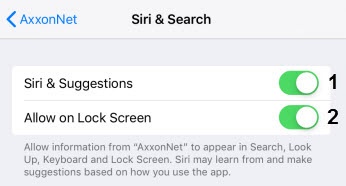
Enable the Allow Siri When Lockedon Lock Screen (2) parameter if it is necessary to give permission for displaying the info related to the AxxonNet iOS mobile client on the lock screen.
Enable the Content update Background App Refresh (4) parameter if it is necessary to give the permission for app operation in the background (when the app is minimized).
...