
Go to documentation repository


Page History
...
- In the System settings window, go to the Hardware tab (1).
- Create an IIDK interface object based on a Computer object (21). Set the ID of the IIDK interface object (32).

Create an Agent of Control object based on a Computer object.
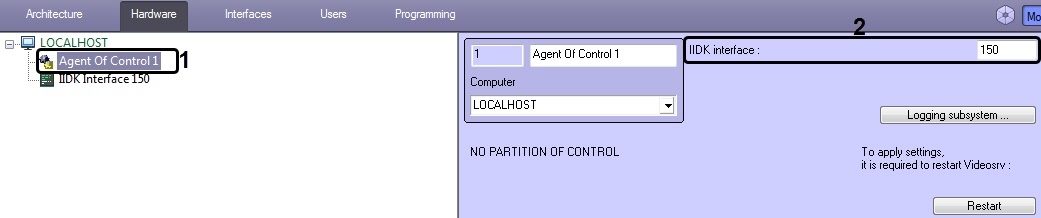 After an Agent of Control object is created in the right part of the System settings window, a panel appears for configuring the object.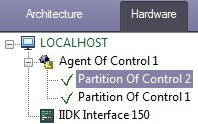
In the IIDK Interface No. field, enter the object ID for the IIDK interface created in step 2.
Create one or more child Partition Of Control objects based on the Agent of Control object.

| Info | ||
|---|---|---|
| ||
It is also necessary to create Video capture device, Camera, and Sensor objects in the device tree that correspond to the connected hardware. Creation and configuration of these objects is described in the document Intellect Software Package: Guide to Installation and Configuration of Security System Components (the most recent version of this document can be found in the documentation repository). |
...
Overview
Content Tools