


Page History
...
- Go to the settings panel of the Face Recognition Server object. Go to the Analytics tab.
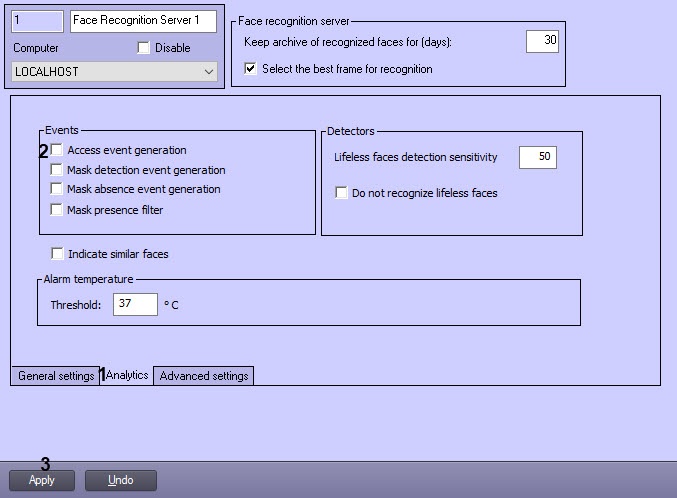
- Select the Access event generation check box (1).
- Click Apply (2).
...
- Go to the settings panel of the Face Recognition Server object. Go to the Analytics tab.
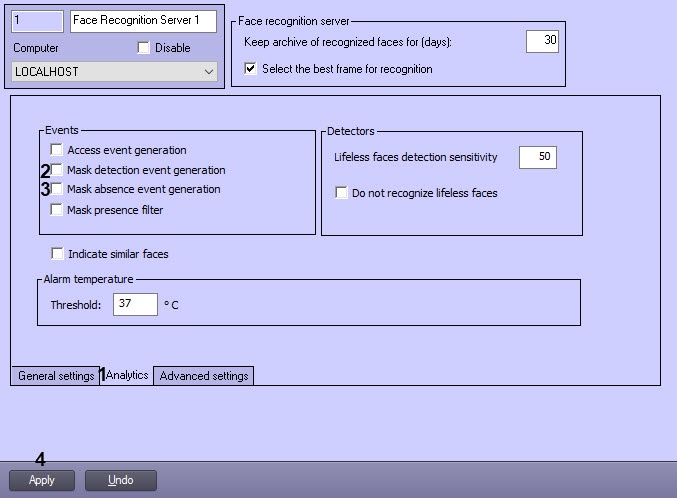
Set the Mask detection event generation checkbox (1) to enable the event generation in case the mask is detected on the face.
Set the Mask absence event generation checkbox (2) to enable the event generation in case the mask is absent on the face.
Click Apply (3) to save the settings.
...
Overview
Content Tools