
Go to documentation repository


Page History
AxxonNet users and roles are synchronized with Użytkownicy i role AxxonNet są synchronizowane z Axxon Next (see Configuring user permissions). The user who connected the Axxon domain is added to the admin role and will be available in Axxon Next.
Users with the admin role in AxxonNet can perform any actions with the Axxon-domain. All other users will have view-only rights.
To allow a user to work with the Axxon domain via AxxonNet, do as follows:
zobacz: Konfigurowanie uprawnień użytkownika). Użytkownik, który nawiązał połączenie z Domeną Axxon, jest dodawany z rolą admin i staje się on dostępny w Axxon Next.
Użytkownicy z rolą admin w AxxonNet mogą wykonywać dowolne akcje w Domenie Axxon. Wszyscy inni użytkownicy będą posiadać wgląd, bez możliwości edycji.
Aby umożliwić użytkownikowi pracę z Domeną Axxon poprzez AxxonNet, wykonaj następujące kroki:
- Na karcie Dashboard naciśnij ikonę
 dla Domeny Axxon.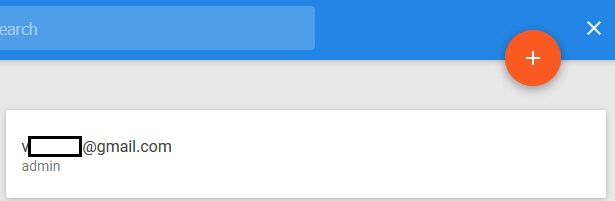
- Naciśnij przycisk
 .
. - Wybierz użytkownika AxxonNet (1).

Wybierz rolę, która ma zostać nadana użytkownikowi (2) z listy. Aby utworzyć nową rolę, wpisz nową rolę użytkownika w polu
- On the Dashboard page, click the icon in the Axxon domain.
- Click the button.
- Select an AxxonNet user (1).
Select the role you want to add the user to (2) from the list. To create a new role, enter the new role name in the field.
Info title Note The role will be automatically created in Axxon Next and will have minimal access rights.
- Click the Assign button.
Informacja Rola zostanie automatycznie utworzona w Axxon Next i będzie posiadać minimalne uprawnienia dostępu.
- Naciśnij przycisk Assign.
Gdy użytkownik uzyska odpowiednie uprawnienia w Domenie Axxon, będzie on mógł korzystać z klienta Web oraz raportów AxxonDataAfter the user is granted access to the Axxon domain, he can use the Web client and AxxonData reports.
| Note | ||
|---|---|---|
| ||
For correct operation of reports, the user role has to match the following conditions:
| ||
Aby raporty działały poprawnie, rola użytkownika musi spełniać następujące warunki::
|
Aby zmienić rolę użytkownika, naciśnij przycisk  , a następnie wybierz nową rolę. Aby usunąć użytkownika, naciśnij To change the user role, click the button and select a new role. To delete the user, click
  .
.

| Info | |||
|---|---|---|---|
| |||
Gdy zostaną nadane lub zmienione uprawnienia dostępu do Domeny Axxon, użytkownik zostanie powiadomiony o tym fakcie w wiadomości When you grant or change access to the Axxon domain, the user is notified by e-mail. |
To enable the user to edit multiple Axxon domains, do as follows:
Aby umożliwić użytkownikowi edytowanie wielu Domen Axxon, wykonaj następujące kroki:
Zaznacz wiele Domen Axxon na karcie Dashboard: najedź kursorem myszy na wybraną Domenę Axxon, a następnie naciśnij
 w lewym górnym rogu.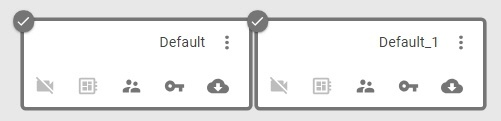
- Naciśnij
 w prawym górnym rogu.
 - Postępuj dalej wedle procedury dodawania użytkownika dla jednej Domeny Axxon. Lista roli będzie zawierać role wszystkich wybranych Domen Axxon
- Click in the upper-right corner.
- Then follow the procedure for adding a user for one domain. The list of roles will contain the roles of all selected Axxon domains.
Select multiple Axxon domains on the Dashboard page: hover the mouse over the Axxon domain of your choice and click in the upper left corner.
Overview
Content Tools