
Go to documentation repository


Page History
...
In the second case a message will appear, in which you should click OK (see also the section Startup). 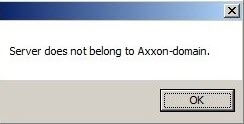
The Name new Axxon Domain window Enter new domain name window will appear. In the New Axxon Domain domain name field, enter the Axxon Domain name to create a new group of computers based on the Server and click Apply.
| Note | ||
|---|---|---|
| ||
It is not possible to use the above steps to add a Server to an existing Axxon Domain. Assigning the same Axxon Domain name to several Servers does not guarantee that those Servers will be in the same Axxon Domain. Different Axxon Domains can have identical names. |
...
Overview
Content Tools