
Go to documentation repository


Page History
...
- Go to the Configuration tab.
- Click the Back up button (1) and download the backup by clicking the
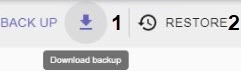 button
  button.
To restore a configuration from a backup:
...
- Create a copy of the configuration on the server (see Backing up a configuration).
- Connect to the configuration backup and restore utility on the node (see Connecting to a Node and Configuring of an Axxon domain).


- Restore the saved configuration (see Restoring a configuration).
Overview
Content Tools