
Go to documentation repository


Page History
...
| Info | ||
|---|---|---|
| ||
The Disappearance in the area detection tool is triggered immediately after an object in the area disappears. By default, the alarm is reset 15 seconds after the alarm is triggered. To change the length of time after which an alarm is reset, edit the DisappearedAlarmDuration registry key in the HKEY_LOCAL_MACHINE\SOFTWARE\ITVAxxonSoft\INTELLECTAxxon PSIM\Video section for 32-bit systems (HKEY_LOCAL_MACHINE\SOFTWARE\Wow6432Node\ITVAxxonSoft\INTELLECTAxxon PSIM\Video for 64-bit systems). |
...
- Go to the Hardware tab in the System settings dialog box.
- Select the Tracker object in the objects tree of the Hardware tab.
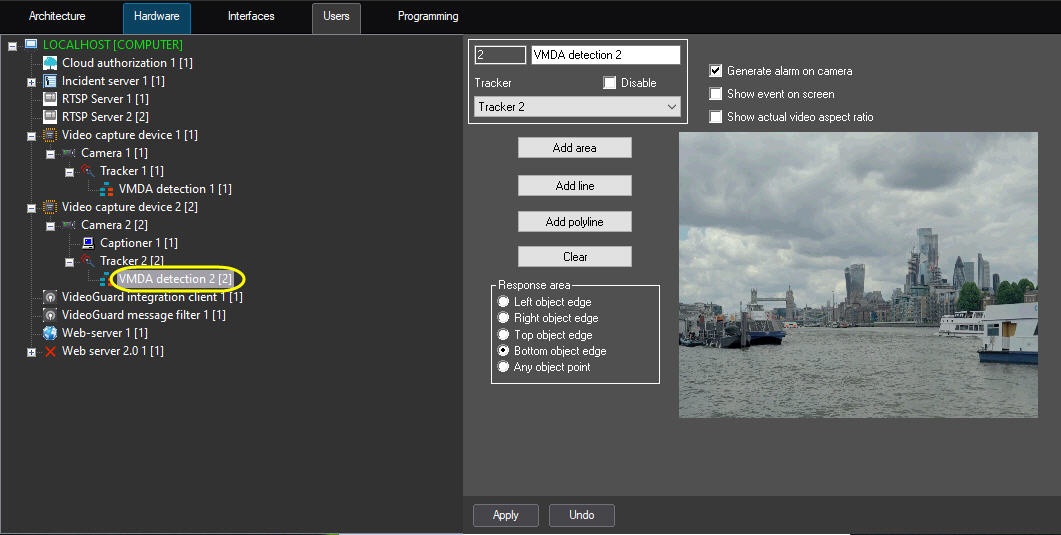
- Create the VMDA detection object on the base of the Tracker object. The settings panel for the created object appears on the right of the Hardware tab.
| Info | ||
|---|---|---|
| ||
| Video from the camera on the basis of which the VMDA detection object is created is displayed in the Video field. |
...
Overview
Content Tools