
Go to documentation repository


Page History
In the Intellect Axxon PSIM software it is possible to use scaling while video signal displaying on the Video surveillance monitor. This function allows choosing the optimal stream depending on the size of video image. For example, if a large number of cameras are simultaneously displayed on the Video surveillance monitor, it is not needed to receive the video from them in high resolution. Increasing the video image the video stream should be requested in a higher resolution.
Video stream properties can be specified through the Intellect Axxon PSIM interface (see the section Configuration of multistream video) or through a camera's web interface.
For automatic video stream selection to work, the Video stream setting check box must be selected in the configuration panel of the Camera object (see the section Configuration of multistream video) and more than one video stream from the camera must be integrated (refer to the list of IP devices integrated with IntellectAxxon PSIM, on the Drivers Pack documentation page).
...
- Go to the settings panel of the Monitor interface object.
- Go to the List of cameras tab (1).
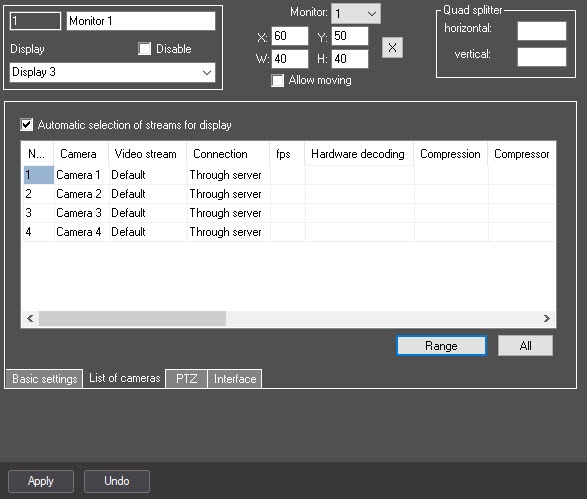
- Set the Auto selection of streams for display checkbox (2).
- Click the Apply button (3).
...
Overview
Content Tools