
Go to documentation repository


Page History
...
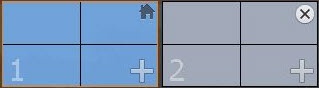
To display a layout on the additional monitor of a remote Client, click anywhere on the required Client's monitor layout diagram, and select a non-distributed video monitor (see Monitor Panel).

| Info | ||
|---|---|---|
| ||
You can add a layout to the additional monitor of a remote Client the same way as you do it for a local Client (see Managing monitors on a local Client). |
...
Select (see The Layouts panel) or configure (see Creating and deleting layouts) the desired layout on the local Client.
Click anywhere on the remote Client's monitor layout diagram.
- Click the
 on the
  on the main or secondary monitor layout diagram.
The remote Client's layout is saved, and will be available after rebooting the Client.
...
To close an additional monitor on a remote Client, click the button  button on the monitor's thumbnail.
Overview
Content Tools