
Go to documentation repository


Page History
...
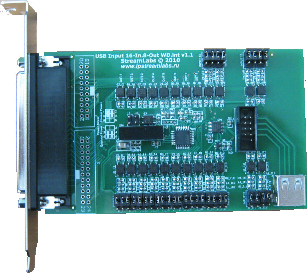
The figures show appearance of SL USBIO cards:
|
|
|
| SL USBIO 4x4 | SL USBIO 16x8 | SL USBIO 24x4 |


...
| Info | ||||||
|---|---|---|---|---|---|---|
| ||||||
When connecting a SL USBIO card, the operating system can automatically install drivers for it. If the drivers were not installed immediately after the card connection, they will be installed along with the Axxon PSIM installation. The drivers can also be installed manually from the Windows Device Manager - − see Drivers for video capture cards, sensor/relay cards, Guardant and USB Watchdog integrated into IntellectAxxon PSIM. After the cards are installed, they have the following names in the device manager:
|
The SL USBIO card is now connected.
Overview
Content Tools