
Go to documentation repository
It is possible to install DetectorPack PSIM in a quiet (silent) mode. For this select one of the following options:
Specify in the setup.ini file in the installation directory (see Installation):
| Code Block |
|---|
[Startup] CmdLine=/quiet |
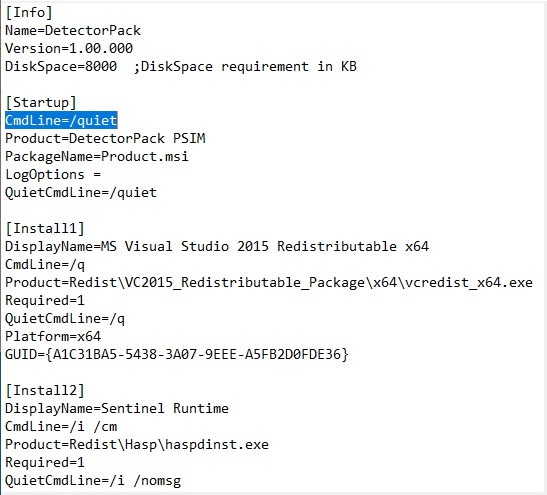
When Setup.exe is run,DetectorPack PSIM is installed in the quiet (silent) mode.
In the DetectorPack PSIM installation directory specify the following command in the Windows command line:
| Code Block |
|---|
setup.exe /quiet |
When the command is executed, the DetectorPack PSIM installation in the silent mode starts.

