
Go to documentation repository


Page History
...
Operator protocol provides:
- displaying Displaying events registered by alarm objects;
- assigning Assigning a status (type) to the registered event;
- adding Adding a comment to an event;
- event Event recording to the archive;
- searching Searching for events in the archive;
- viewing Viewing event recording;
- escalating Escalating non-processed events to the operator protocol of a higher level.
...
| Info | ||
|---|---|---|
| ||
The Enter archive, Find on map, Escalation and Delay buttons can be inactive if their use was not configured when configuring the Operator protocol object - see Setting the options for handling events in the Operator protocol section of Administrator’s Administrator's Guide. |
- The button to switch to the archive to view and export video of the event
 .
. The button to switch to the map layer where there is the source of the even
 .
.The button to escalate the event
 .
.Info title Note If the event has got the Escalated status, then this event will be displayed in the interface of the operator protocol of the higher level. If the Escalation button is disabled, it means that no superior interface is assigned to the current Operator.
Several superior interfaces can be assigned to the Operator protocol but escalation is performed to one of them. If more than one superior interfaces is assigned, then before clicking the Escalation button select the required Operator protocol of the higher level in the dropdown list that can be found below the Escalation button.
- A drop-down list
 to group the events display by region, event, or object.
 - A checkbox
 to enable a simple display of events at the bottom of the Current events tab.
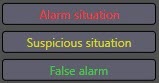
 The buttons to assign the type (status) to the event
 . The buttons for event processing may not be available until a comment is entered if the corresponding setting is enabled. The button names can be changed during the Operator Protocol configuration. Also, if configured accordingly, the buttons may be absent when the line with the name of the event grouping is highlighted.
The
 button enables delaying event processing once for a time period specified when configuring the Operator protocol.
- The
 button to open the helping guide about the event processing.
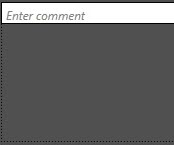
 The field to enter a comment.

The comment field also contains the information about the completed tasks from the checklist (see below).
When enabling the
 checkbox, the type assigned to the corresponding event is applied to all events in the Current events tab.
The
 checkbox is used for auto creation of the bookmark in the archive when the event is processed by the operator. The entered comment will be used as the bookmark name.
- The checklist contains the list of actions that must be performed by the Operator during the event processing.
...
If no Group by value is selected and if the Simple view option is disabled, then the bottom of the Current events tab displays the cells, each of which corresponds to one event. The number of horizontal cells is determined by the Operator protocol window width. The information on the event and the frames from the camera linked to the object from which the event is received are displayed in the cell (see Connection of objects with cameras in Administrator’s Administrator's Guide). The name of the corresponding camera is displayed on the frame. If there are several cameras linked to the object, you can use the
 buttons to browse the screenshots.
Info title Note There is no need to configure connection between the embedded detection tool and camera in order to show the frame by events from embedded camera detection tools.


The cell contains the following information:- system System name of the event;
- object Object registered the event;
- name Name of the Region object corresponding to the area where the event is registered;
- date Date and time of event registration;
- time Time left before the Non-processed event type is assigned to the event;
information Information about event escalation or optional parameters.
Info title Note The list of optional parameters is set when configuring the Operator protocol object (see Administrator’s Administrator's Guide).
- If no Group by value is selected and if the Simple view option is enabled, then the bottom of the Current events tab displays a simplified list of events without the frames from the camera:

Each line corresponds to one event and contains the following information:- system System name of the event;
- object Object registered the event;
- date Date and time of event registration.
- If any Group by value is selected, then the bottom of the Current events tab displays a list of groupings by the selected parameter. The list line contains the number of events in the grouping and the name of the parameter by which the events are grouped.

To view all events from the group, click on the button. To hide the grouped events, click the
  button:
The content of the expanded group depends on whether the Simple view checkbox is set or not. If it is disabled, the events will be displayed as cells. If the Simple view checkbox is set, then a simplified list will be displayed.
...
Overview
Content Tools