
Go to documentation repository


Page History
...
In case the selected layout does not display all Surveillance windows that are available on the Surveillance monitor
...
, it is possible to select a camera displayed in the Surveillance window.
By default, this
...
is
...
possible using the
...
function menu.
...
Select the required camera from the list in the
...
Camera submenu.

If the camera switching dialog is enabled in the Monitor settings (see Configuring Video surveillance windows interfacethe interface of the Surveillance window), the special dialog for camera selection is opened selecting a camera will open, when you select Camera in the functional Surveillance window function menu:
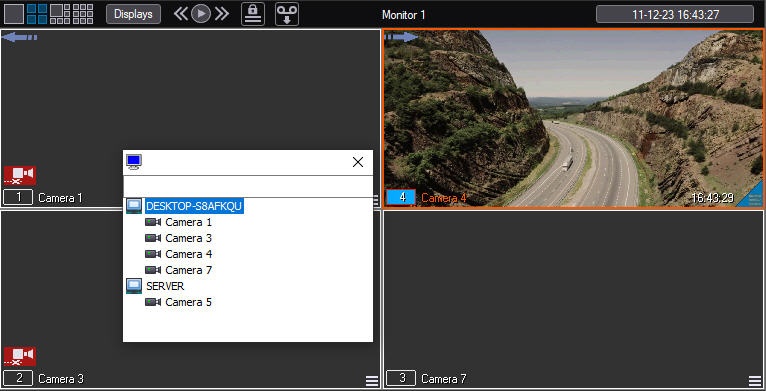
To find a particular camera, you need to enter its name or part of the name in the search field above the list of the cameras and press Enter on the keyboard.
Overview
Content Tools