
Go to documentation repository


Page History
The calls are made on the Call tab of the SIP Panel-panel.
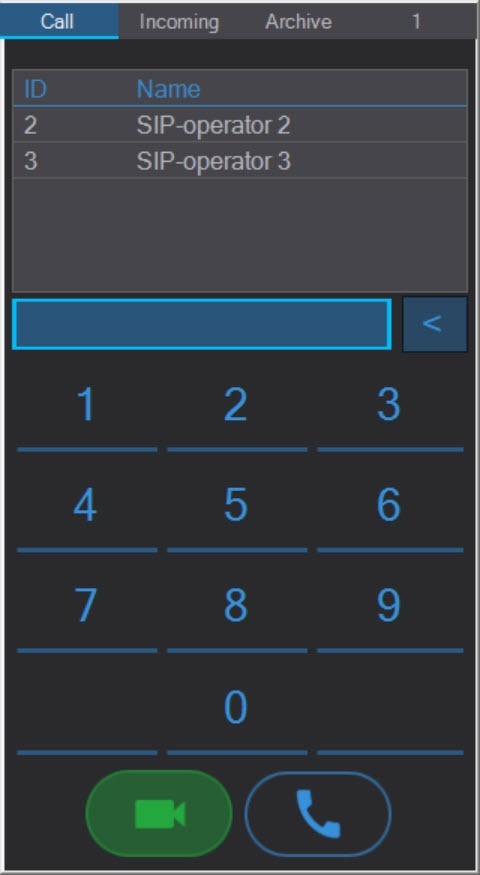
To make a call from the panel, select a number in the address book or dial the number manually, and then click one of the following buttons:
...
If the option to call unknown subscribers is enabled, then when you call an unknown number, it will be displayed as "Unknown number + #number".

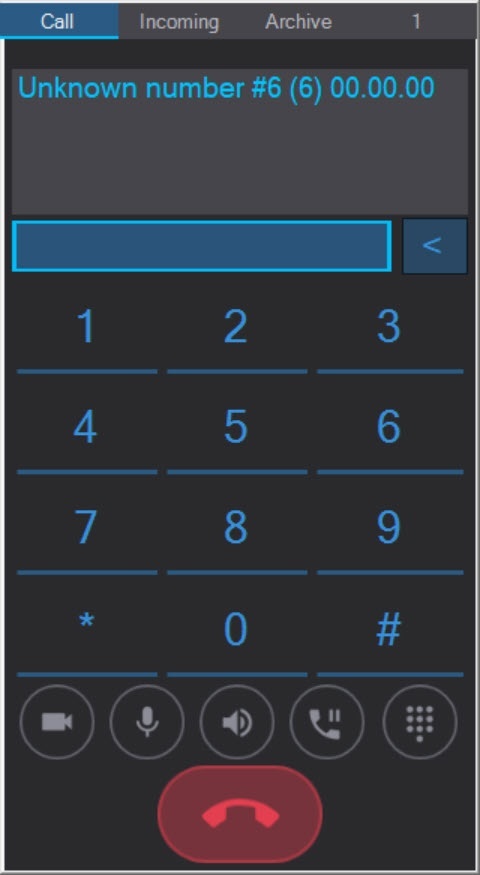
If an unknown number exists, the call will be successful, if not, the call will be ended.
During the call, the SIP-panel window will be displayed on top of all windows and will look like this:

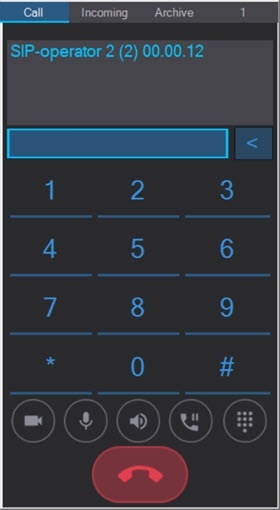
The information field at the top of the window displays the number and duration of the call.
The buttons at the bottom of the panel manage the call:

 — Enable/disable the operator camera.
 — Enable/disable the operator microphone.
 — Enable/disable the operator speaker.
 — Hold the call. The Incoming tab will open with a list of all incoming calls that can be accepted/resumed using the buttons
  buttons
  (with the video from the operator) and
  and
and  (without the video from the operator):
| Info | ||
|---|---|---|
| ||
When the call is on hold, the image and the sound of the SIP-operators are not transmitted. The audio message "Call on hold" is played back on the SIP-operator that was put on hold. |
The calls in the list are sorted by the SIP-operators and SIP-devices priority, that was set at the system configuration stage. If several operators or devices have the same priority, the calls from them are sorted by the receiving time. By default, the new calls are added to the top of the list, but the sorting order can be changed during the system configuration, so that the new calls are added to the end of the list regardless of the operators and devices priority (see Advanced settings of the SIP-panel interface object).
...
| Info | ||
|---|---|---|
| ||
If the Switch to incoming checkbox was not set at the SIP-panel configuration stage (see Advanced settings of the SIP-panel interface object), then the Incoming tab will not automatically open for incoming calls or calls on hold. |
 — Display/hide the dialing panel in the tone mode. This panel displays the macros added while configuring the SIP-device (see Configuring SIP-devices of the Axxon PSIM's SIP server).

—  — End the call.
| Info | ||
|---|---|---|
| ||
Calls can also be made using the macros (see Macros for working with SIP-terminal). |
...
Overview
Content Tools