
Go to documentation repository


Page History
...
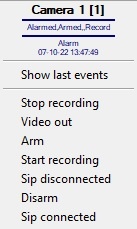
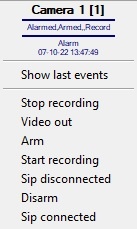
System devices on the map are displayed as icons. Each device has its status displayed, and access to its functions is performed via the device functions menu by right clicking on the device icon on the map.
For example, the Camera type object has a feature menu shown in the figure.
The map may have multiple layers (levels). Then an interlayer link icon is used to toggle the layers.
...
Overview
Content Tools