
Go to documentation repository


Page History
...
To request frames and videos, use the following function menu commands:
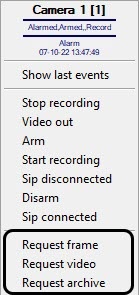
| Command | Result of execution | Illustration |
|---|---|---|
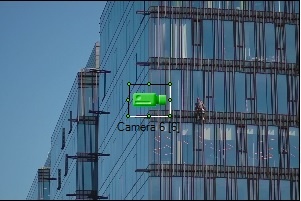
| Request frame | The last frame received from the camera is displayed in the Map window behind the object. |
|
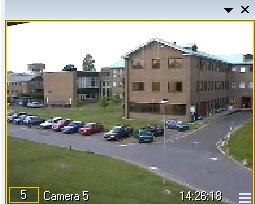
| Request video | Live video from the camera is displayed in a separate window. The controls in this window are similar to the standard Video Surveillance Monitor. |
|
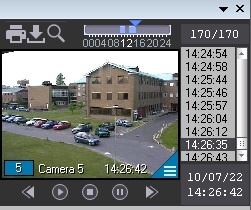
| Request archive | A separate window similar to the Video Surveillance Monitor in archive playback mode opens. The archive is positioned on the last entry. |
|
...
Overview
Content Tools