
Go to documentation repository


Page History
Before start searching a query is to be created.
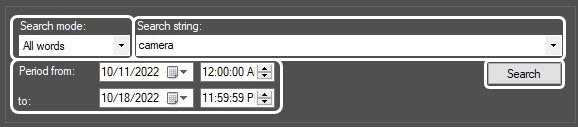
When making a key phrase for combining several elements (words and/or word phrases) select one of the following search modes in the Search mode dropdown list:
...
The corresponding captions are displayed as the text in the search results field.

| Info | ||
|---|---|---|
| ||
If in the search results there are no captions that were recorded before Axxon PSIM reinstallation, then indexing of the captions archive is to be performed. For this select Tools – Reindex menu item in the Captioner debug window that is called by double left-clicking the |

The video corresponding to the selected transaction is displayed in the search results field.
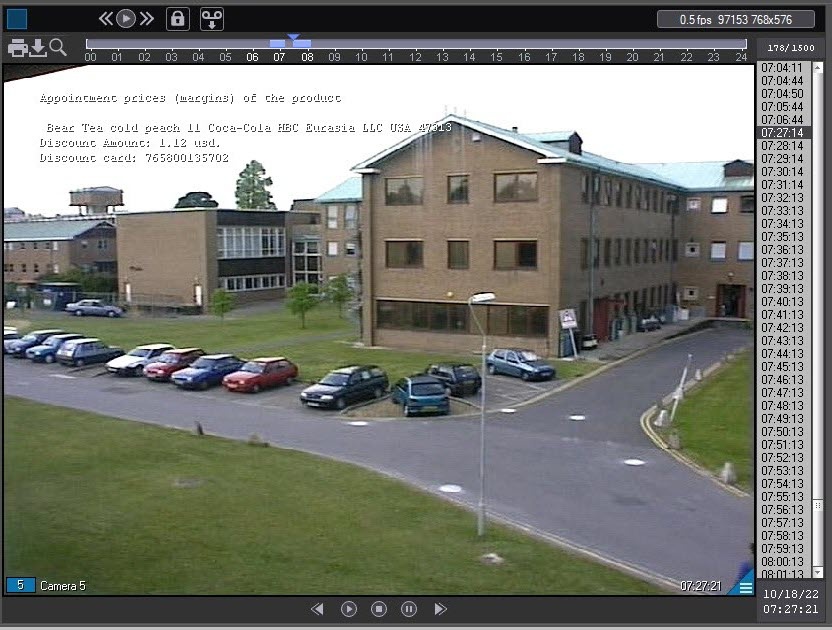
Export and processing functions similar to those of Video surveillance monitor are available in this window, including video clips export with subtitles. For more details on using Video surveillance monitor functions, see Operator's Guide.
...
Overview
Content Tools