
Go to documentation repository


Page History
Automated copying is configured with the Schedule (1).
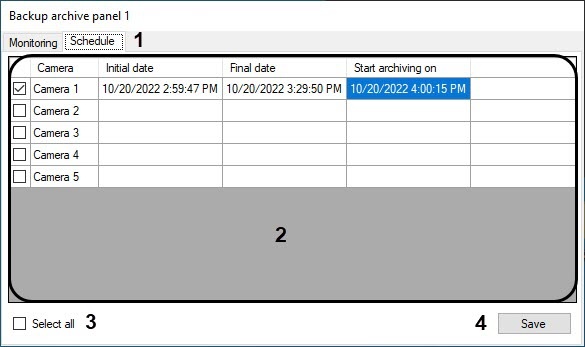
The table (2) shows the current schedule for copying recordings from all available cameras. Copying start and completion dates will be identified for each camera, as well as the actual start time for copying.
...
An existing schedule may be modified by changing the contents of the corresponding table cells. For instance, to modify the completion date of the first camera recording, double click Camera 1: Completion Date.

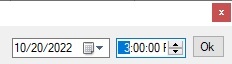
Specify the date and time in the appearing dialog box and click OK.
...
Overview
Content Tools