
Go to documentation repository


Page History
...
To open the Color window, do one of the following:
- Click the Colors (
 ) button
  in the Editor-Debugger toolbar.
 - In the Message list list menu, select Colors.
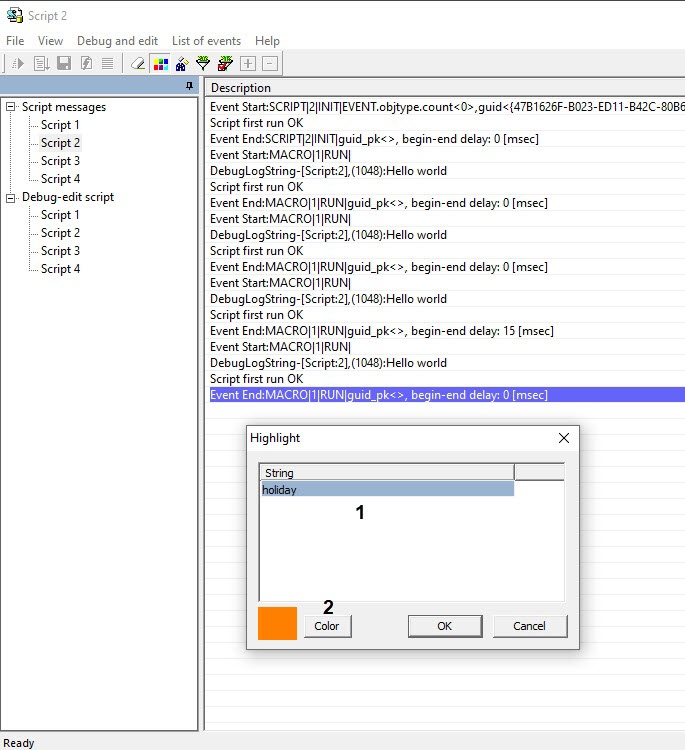
Figure shows the Color window.

Table describes the elements in the Color window.
№ | Element name | Element type | Description | Units | Default value | Value range |
1 | Words | Text field | Contains the words or any sequences of characters, that make the line containing one of them, highlighted. | Latin, Cyrillic and special symbols | Empty | Unlimited number of characters |
2 | Color | Drop-down list | The color for highlighting the lines | RGB format | Grey | RGB colors |
Overview
Content Tools