To set up the receipts database search, the following parameters should be specified:
- search Search depth – the receipts database search depth;.
- highlighting Highlighting of found words – the option for highlighting the found words in the search results;.
- showing Showing the POS - terminals with positive search results – displaying only the POS servers whose data contains the required words.
...
- Enter the archive search depth (in days) in the Report archive depth (days) field (1).
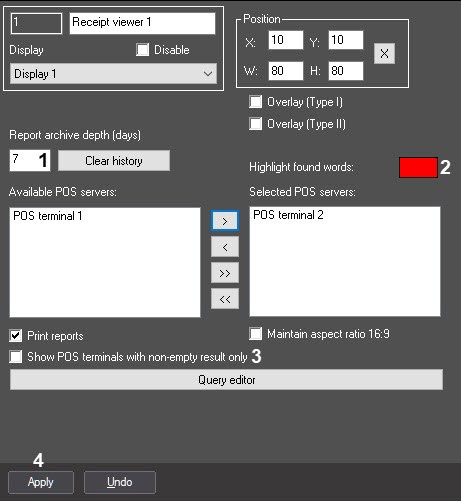
- To enable highlighting of known words, double-click the Highlight known words color box and select the color in the standard Windows color selection box that opens (2).
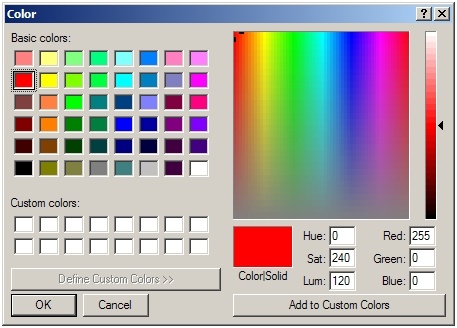 Image Modified
 - When only the POS terminals with non-empty search results should be displayed, check the Show POS terminals with non-empty search results only checkbox (3).
- Click Apply (4).
The receipts database search criteria are now set.


