
Go to documentation repository


Page History
The Script object is designed for initializing and setting the parameters of JScript scripts in Axxon PSIM system.
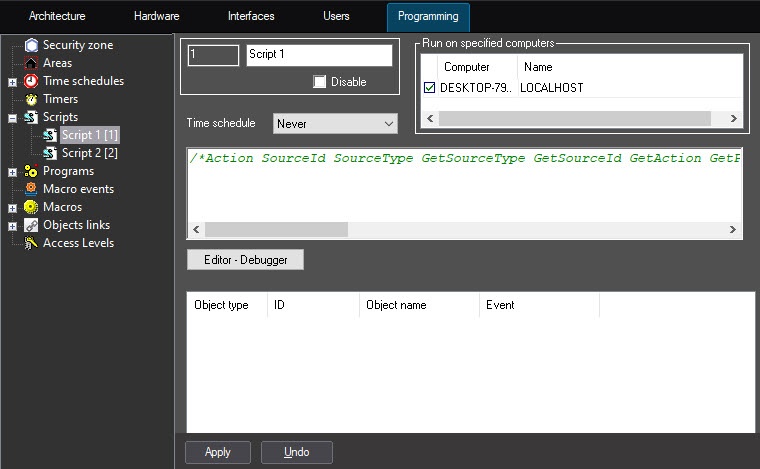
Figure shows the settings panel for the Script object.
| Note | ||
|---|---|---|
| ||
Creating of large number of the Script objects (more than 100) can result to instable unstable system working. |
The settings panel allows choosing the time zone and the computers (kernels) for executing the script.
...
The filter can be set by the UPDATE_OBJECT event of the CORE object. Example command to add Camera 1 object to the Script 2 filter:
| Code Block | ||
|---|---|---|
| ||
NotifyEventStr("CORE","","UPDATE_OBJECT","objtype<SCRIPT>,objid<2>,EVENT.objid.0<1>,EVENT.objid.1<10>,EVENT.action.count<2>,flags<>,EVENT.action.0<>,EVENT.action.1<>,EVENT.objtype.0<CAM>,EVENT.objtype.count<2>,EVENT.objtype.1<CAM>,EVENT.objid.count<2>"); |
Overview
Content Tools