
Go to documentation repository


Page History
...
| Info | ||
|---|---|---|
| ||
The set of available Axxon PSIM system objects is defined in the AxxonPSIMpsim.sec key file. |
Use QAT, system tray or short-time holding the “hot” button F8 to open System Settings and configure the Axxon PSIM software objects.
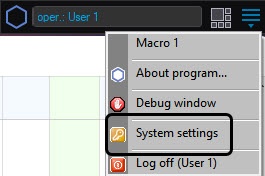
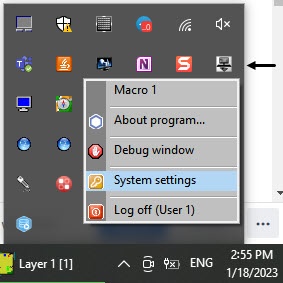
The System Settings dialog window contains:
- tabs panel;
- objects tree (not present in the Architecture tab);
- object settings panel tree (not present in the Architecture tab);
- the Apply and Cancel buttons.
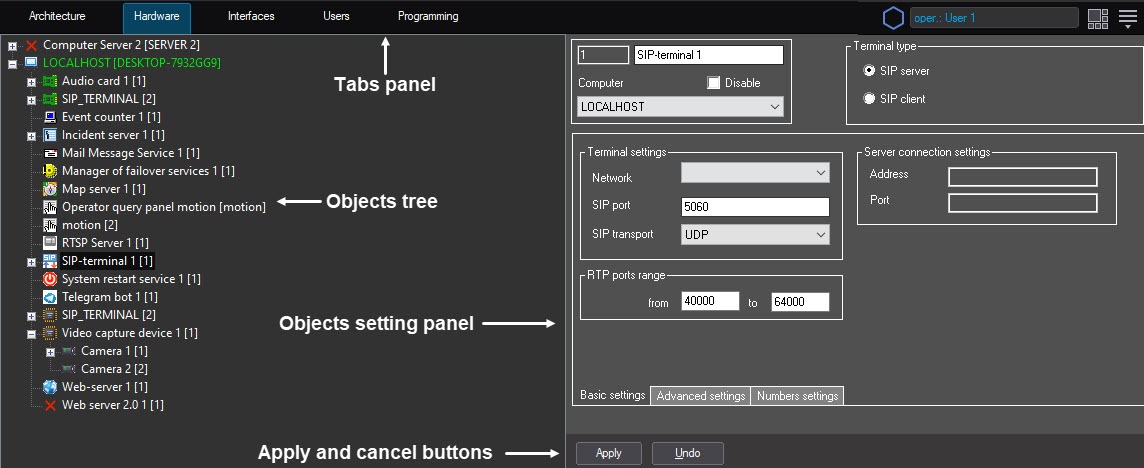
You typically configure objects as follows: create or select an object in the objects tree, assign parameter values in its settings panel and then save changes clicking the Apply button. Quick Start start Guide offers a list of objects and a brief description of their functionality. Configuring the specified interface objects is described in detail in the document titled Administrator's Guide.
Overview
Content Tools