
Go to documentation repository
...
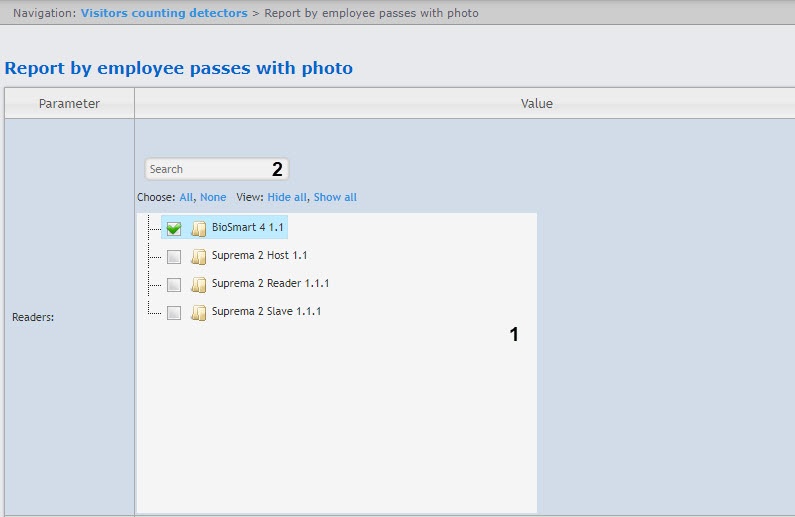
In the Readers field (1), check the
boxes nextboxes next to the access points, information on which should be displayed in the report.
| Note | ||
|---|---|---|
| ||
This field displays only those access points that have been added to any access level in the Access Manager module (see Creating access levels). |
To use the search when selecting readers, in the search field (2) start entering the reader name. The search works starting from the fourth character. The results will be highlighted in a different color. Click All to select all found or available objects. Click None to deselect. Click Show all to expand the object structure. Click Hide all to hide the object structure.
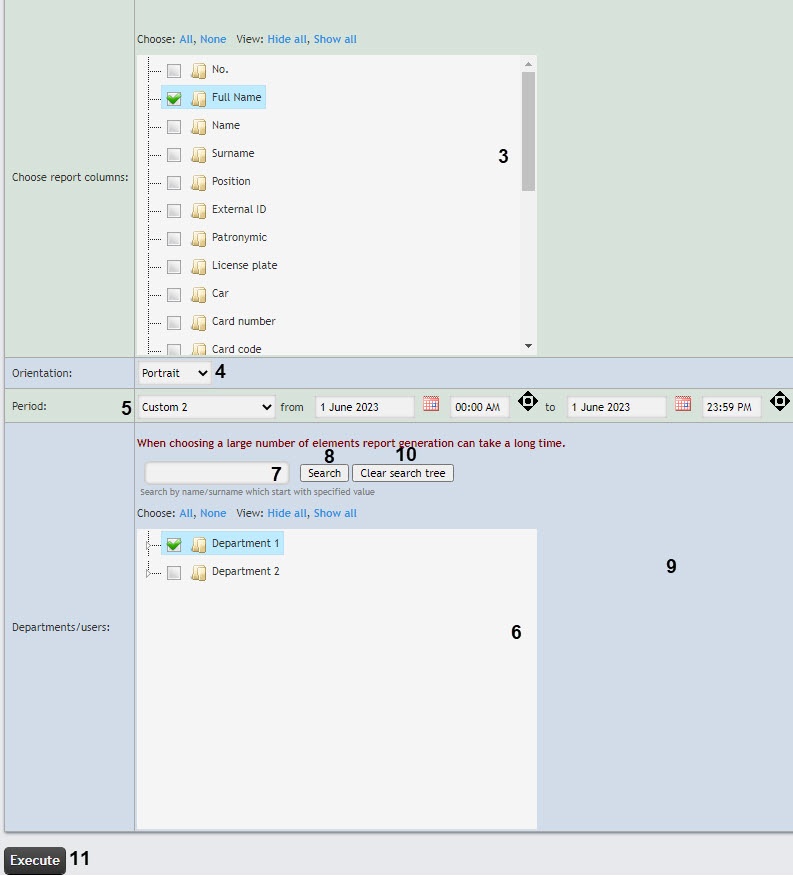
From the Orientation drop-down list (
4) select the report orientation: Portrait (vertical) or Landscape (horizontal).
| Note | ||
|---|---|---|
| ||
|
In
the Departments/users field (4), select the departments or users, information on which should be displayed in the report. If necessary, you can use the search for a user by first/last name.In the Period fieldsthe Period fields (5) select the time period for which you want to build the report.
| Info | ||
|---|---|---|
| ||
|
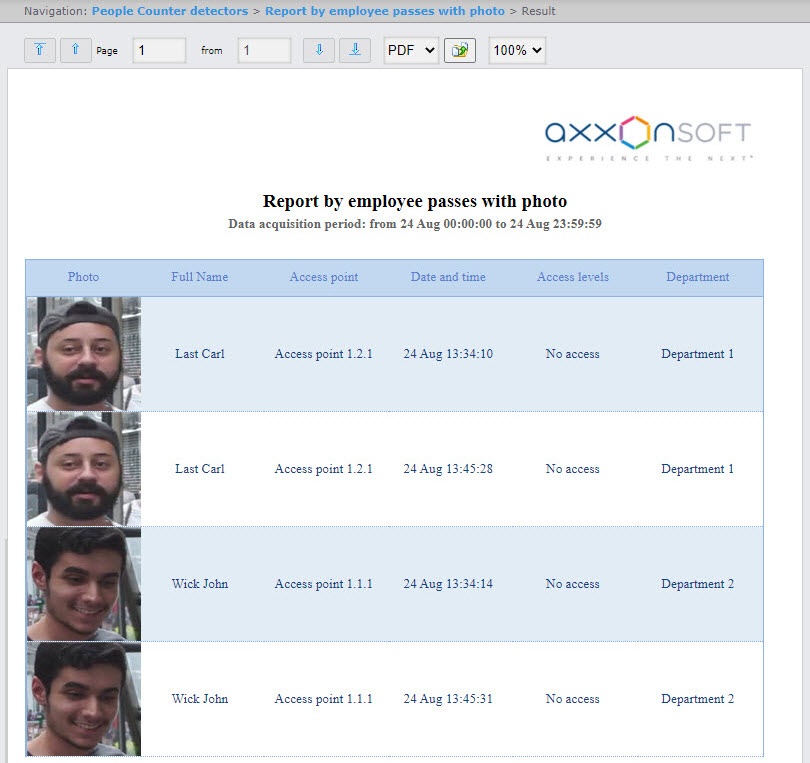
All possible fields of the report are described in the table.
| Field name | Description |
|---|---|
| No. | Line number |
| Photo | Photo from the camera |
...
| Full Name | Employee's full name |
...
| Name | Employee's first name |
...
| Surname | Employee's last name |
...
| Position | Employee's position |
| External ID | Employee's external identity number |
| Patronymic | Employee's |
...
| patronymic name |
...
| License plate | Employee's |
...
| car license plate number |
...
| Car | Employee's |
...
| car brand | |
| Card number | Employee's access card number |
| Card code | Employee's access card code |
...
| Date of card issue |
...
| Employee's access card issue date | |
| Access point | Access point through which the employee has passed |
| Date | Date of the passage |
| Date and time | Date and time of the passage |
| Time | Time of the passage |
| Access levels | Employee' |
...
| s access levels | |
| Phone | Employee's phone number |
| Company | The name of the parent department, if the employee's department is a subsidiary |
| Department | Department |
...
| where employee |
...
| works | |
| Comment | Commentary |
| Card expiration date | Employee's access card expiration date |
...
| Pin code | Employee's access card pin code |


