
Go to documentation repository


Page History
...
Creation and configuration of the Camera object is done in the Hardware tab. The objects tree of a camera is generated automatically according to its functions that are integrated into Axxon One (the presence of alarm inputs, relay outputs, PTZ device, etc.).
...
| title | Note |
|---|
You can configure the camera recording to the archive in the corresponding tab (see Configuring archives).
Configuring the camera settings
...
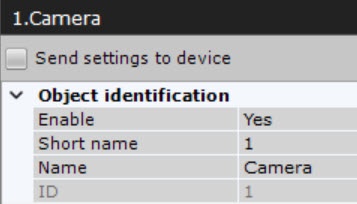
In the Object identification group, you can enter a camera name, a short name and a comments.
...
...
| title | Note |
|---|
...
By default, the short name is a camera's ID. The full name of the video camera in the objects tree is displayed in the <Short name>.<Name> format. You can use camera's short name in hotkeys (see Notes regarding hot key actions).
After changing the short name and restarting the Client, the cameras in the objects tree will be sorted by their short names.
Also, you can disable the camera by selecting No in the Enable field.
| Note | ||
|---|---|---|
| ||
Every camera enabled in the system (including analog cameras, see The IP Server Object) is a video channel in terms of licensing (see Axxon One licensing). Disabled cameras are not subject to licensing. If you run out of camera licenses, disable offline/unused cameras. |
...
You can configure video streams below the Surveillance window. If a camera supports multistreaming, you can configure two video streams separately: Main stream and Second stream. If necessary, you can configure additional video streams using the Add video stream field.
When creating an IP device with a main video stream, a stream with a higher resolution is selected. To configure video streams, you should make sure that the the Send settings to device checkbox is set. Once a checkbox is set for an IP device, the checkbox is also set on all channels and child objects.
| Info | ||
|---|---|---|
| ||
In most cases, the following parameters are set for video streams: bitrate, compression rate, frame rate, and resolution. Detailed information on configurable parameters can be found in the official reference documentation for the camera. |
...
Image from the camera will be displayed in the preview window.
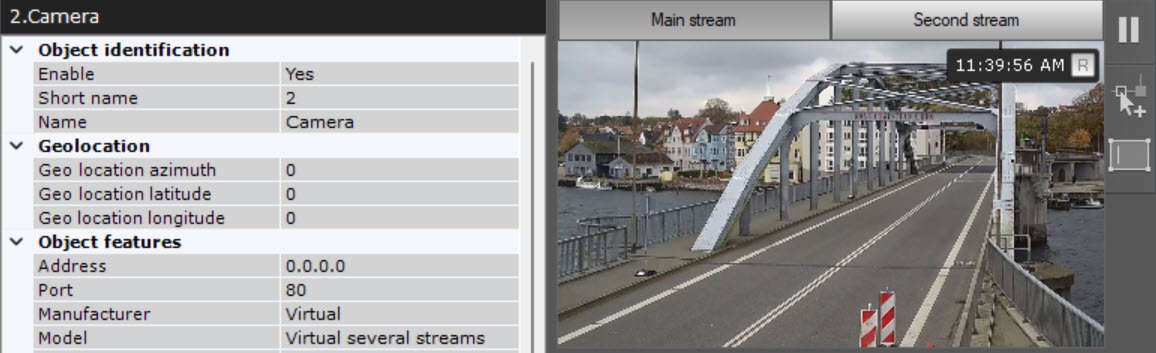
To switch between streams in the preview window, click the Main stream and Second stream tabs.
| Info | ||
|---|---|---|
| ||
| Info | ||
| title | Note
|
To switch between streams in the preview window, click the Main stream and Second stream tabs.
|
Overview
Content Tools