
Go to documentation repository


Page History
...
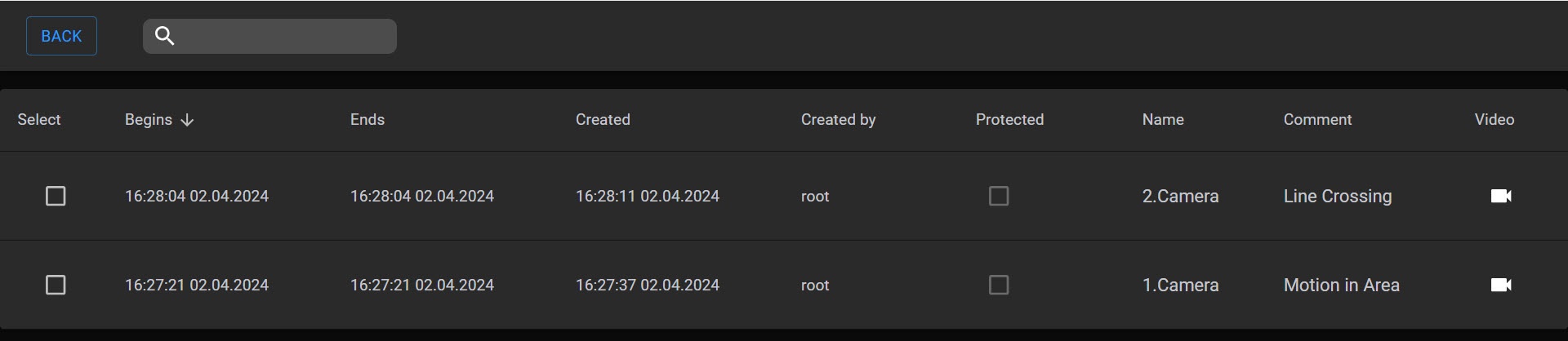
To work with bookmarks, click the  button
  button in the top right corner of the Web-Client window, and select the Archive Bookmarks option.
| Note | ||
|---|---|---|
| ||
You can access only the bookmarks on the visible part of the archive (see Configuring access restrictions to archive). The bookmarks belonging to the archive fragment that was overwritten in a loop will not be displayed. |
...
Use the search bar to locate a necessary bookmark.
To proceed to a particular video, click the  button button in the Video column. To return to a main page, click the BACK button.
...
- Select the required bookmark in the table.
- Click the EDIT BOOKMARK button.
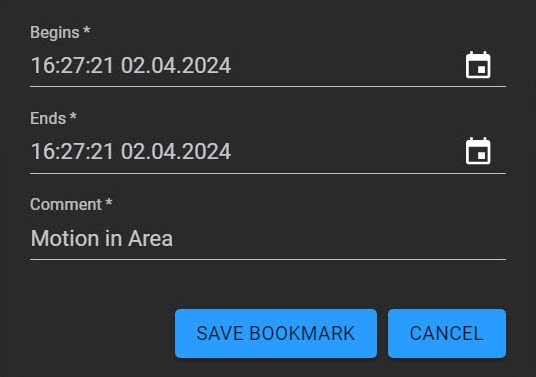
- If necessary, you can change the time interval and/or a text comment.
- Click the SAVE BOOKMARK button.
...
Overview
Content Tools