
Go to documentation repository


Page History
| Tip |
|---|
The standard detection sub-tools are triggered by certain actions of objects in the camera FOV:
| Name of the detection sub-tool | Description |
|---|---|
| Line Crossing | Detection tool triggers when an object track crosses a virtual line |
| Loitering In Area | Detection tool triggers when an object stays in a specified area for a long period of time. The triggering stops when an object leaves the area or disappears inside the area |
| Stop In Area | Detection tool triggers when an object stops moving in a specified area. The triggering stops when an object leaves the area or disappears inside the area |
| Abandoned Object | Detection tool triggers when there is an abandoned object in a specified area |
| Motion In Area | Detection tool triggers when an object starts moving in a specified area. The triggering stops when an object stops in the area, leaves the area, or disappears inside the area |
| Entrance In Area | Detection tool triggers when an object enters a specified area |
| Exit From Area | Detection tool triggers when an object leaves a specified area |
| Multiple Objects | Detection tool triggers when the number of objects in a specified area exceeds the set value |
| Move From Area To Area | Detection tool triggers when an object leaves one area and enters another area of the frame |
Tooperate the standard detection sub-tools, you can use the metadata from the sources:
- Category: Trackers:
- Category: Face (reduced set of detection sub-tools: Line Crossing, Loitering In Area, Entrance In Area):
- Category: Vehicle:
- Category: Poses:
- Category: Production Safety:
- Category: Retail:
The standard detection sub-tools can operate on the basis of all of the above objects
Axxon One uses two different trackers for moving objects detection and metadata calculation:
- Object Tracker is a primary tool.
- Neural Tracker is essentially the same but operates through neural networks. The neural one is more accurate and detects even static objects, but it requires more computing resources.
The Scene Analytics detection tools work with both trackers.
| Note | ||
|---|---|---|
| ||
The abandoned objects detection tool works only with the primary tracker. |
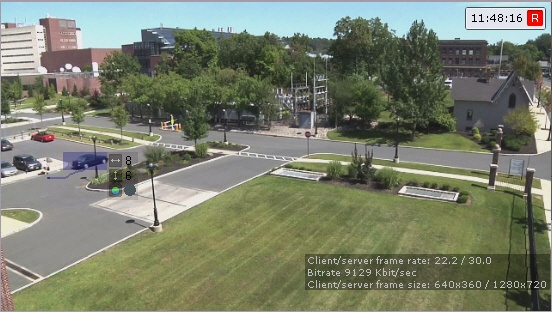
When created, both Object Tracker and Neural Tracker objects are enabled by default. Tracked objects' parameters (relative width and height, color) are displayed in the camera window.
| Info | ||
|---|---|---|
| ||
Up You can track up to 25 objects can be tracked at the same time. |
Overview
Content Tools