
Go to documentation repository


Page History
...
- Switch to the archive search mode of the video camera on the basis of which the Embedded vehicle speed measurement radar was created (see Switching to the Archive Search mode).
- Specify the search time interval (1, see Setting a search interval).
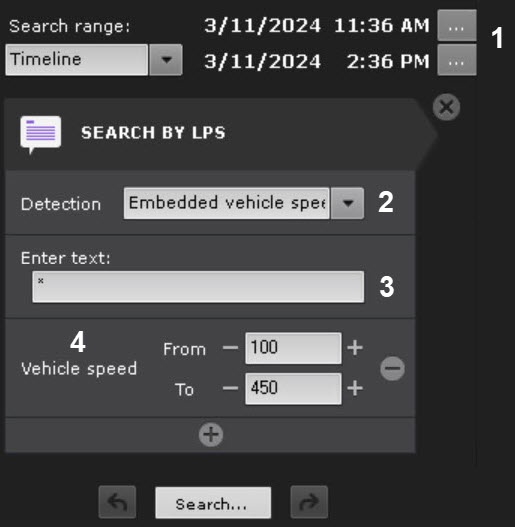
From the list of search types, select Search by LPs (see Search by LPs).
From the list of detection tools, select Embedded vehicle speed measurement radar (2), the alarms from which should be used as a search source.
Specify the license plate number of the vehicle to search in the archive (3).
Info title Note To search by all recognized license plates, enter * (asterisk).
Add an additional Vehicle speed criterion (4): in the From and To fields, specify the vehicle speed range in km/h. The search results will only display events where the vehicle speed matches or is within the specified range.
Click the Search button.
...
Overview
Content Tools