
Go to documentation repository


Page History
In the Live Video mode, you can "freeze" video. To do sothis, click the time display (scrubber) in a viewing tileindicator in the Surveillance window.
This will cause the viewing tile to be As a result, the Surveillance window is highlighted with a blue border. A snowflake icon will appear appears in the time fieldindicator.
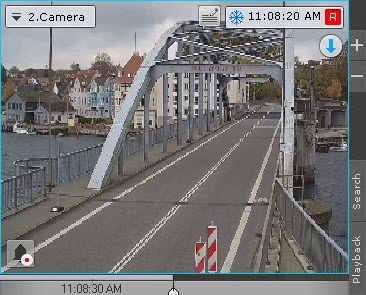
The buttons for specifying the time are also be available in the Surveillance window (see Navigating using the time indicator), if you want to switch to the Archive mode.
To return to live video, click the display time indicator again.
Overview
Content Tools