
Go to documentation repository


Page History
Information about the status of cameras can be displayed in three ways, chosen via the buttons in the upper-left corner of the board:
- As diagrams.

- As diagrams with text.
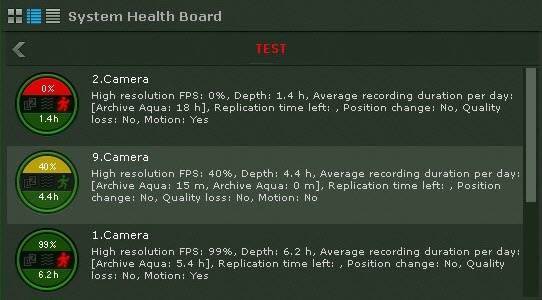
- As a table.

| Info | ||
|---|---|---|
| ||
Disconnected cameras are displayed at the end of the list with dimmed brightness. |
...
If there is no signal from a camera, the appearance of the diagram changes accordingly.

Information about detection tools is received in real time. Depending on the status of detection tools, the corresponding icons change color:
...
Overview
Content Tools