
Go to documentation repository


Page History
| Note | ||
|---|---|---|
| ||
Install The firmware version must be MX-V5.2.6.7 (2020-06-16) or later firmwarenewer. For a detailed configuration via the web interface, refer to manufacturer's instructionsthe official Mobotix documentation. |
Before starting working in Axxon One, please you must configure the camera via the web interface beforehand:
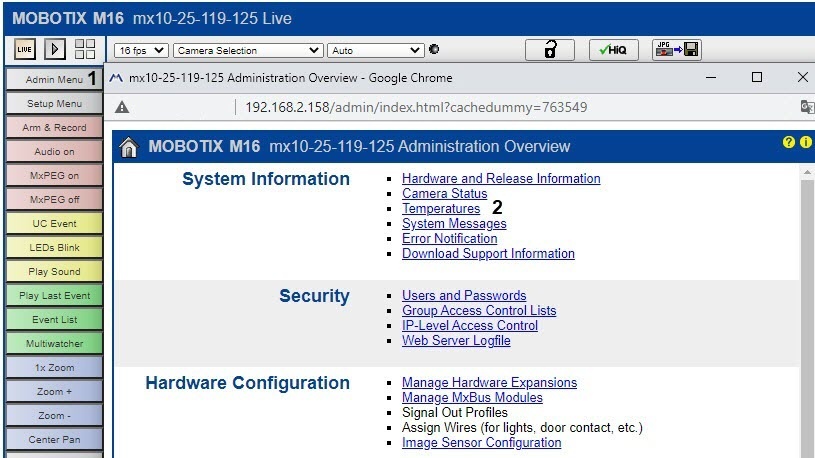
- Proceed Go to admin menu Admin Menu (1), and select Temperatures (2).
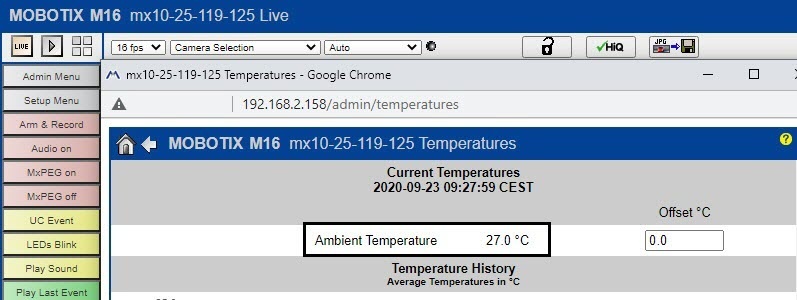
- Measure environmental the ambient temperature.
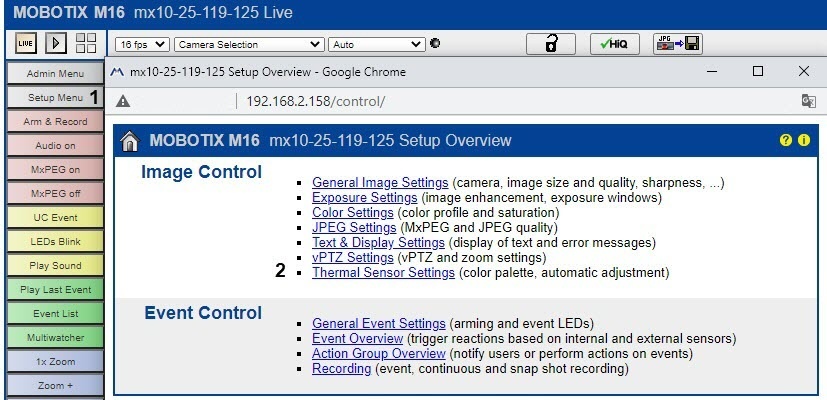
- Select Setup Menu (1), and then Thermal Sensor Settings (2).
- Select Set the Temperature Compensation checkbox (1).
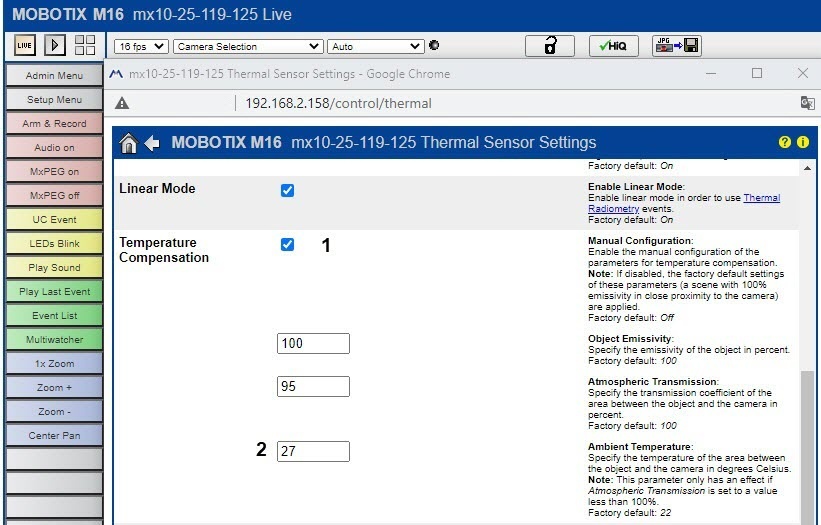
- Enter the environmental ambient temperature value (2, see point step 2).
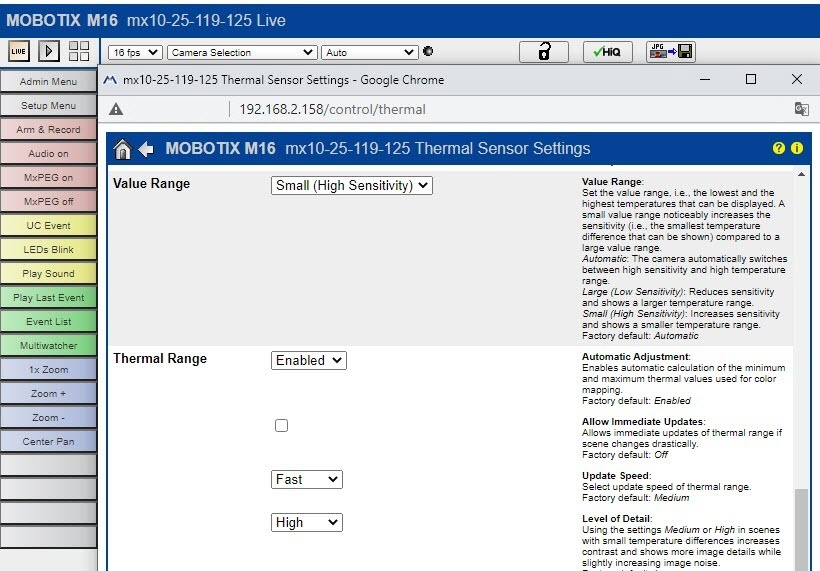
- Specify the Value Range and Thermal Range parameters as shown on the screenshot.
- To caption video with temperature readings, select Display Mode (Right) (1), and then Picture in Picture (2) checkboxes.

- Save the settings.
Overview
Content Tools