
Go to documentation repository


Page History
...
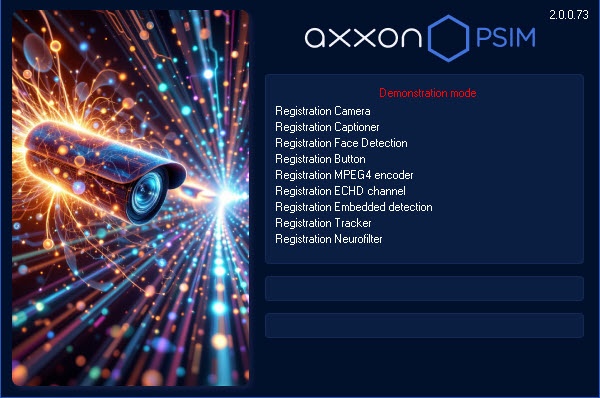
The startup window will be displayed.
| Info | ||
|---|---|---|
| ||
If there is no license key and Axxon PSIM is started in demo mode, then the Demonstration mode message is displayed in the startup window. |
...
Confirmation by supervisor
Confirmation by supervisor is required during the user login if the four-eyes rule authorization is configured in the system. After clicking the Registration button, you will be prompted to enter the login and password of the supervisor. After entering the supervisor password click the Registration button again.

Password change at login
...
The password can be changed by user request if Axxon PSIM is configured accordingly. In this case click the Change password button and then enter and confirm a new password.


| Info | ||
|---|---|---|
| ||
If the user is prohibited from changing the password on demand, a corresponding message will be displayed in the dialog box. |

| Note | ||
|---|---|---|
| ||
The new password must not match the previous one. |
...
The two-factor authentication function can be configured in Axxon PSIM, which requires login confirmation by SMS code—see Configuring two-factor authentication. In this case, after entering the login and password and clicking on the Register button, a short message with the code will be sent to the user's phone number. Enter this code in the SMS code box that opens, and then click the OK button.
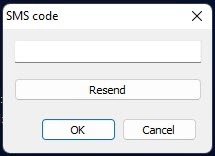
If the message with the code does is not isn't delivered, you can click the Resend button to send the code again but not sooner than in 10 seconds after the previous resend.
...
- Point the mouse to the upper right corner of the screen and the Axxon PSIM Quick Access Toolbar (QAT) will appear.
- Click the
 button in the QAT.
 - Select the Shutdown menu item.
| Info | ||
|---|---|---|
| ||
The Shutdown menu item is also available in the menu that appears when left-clicking the |

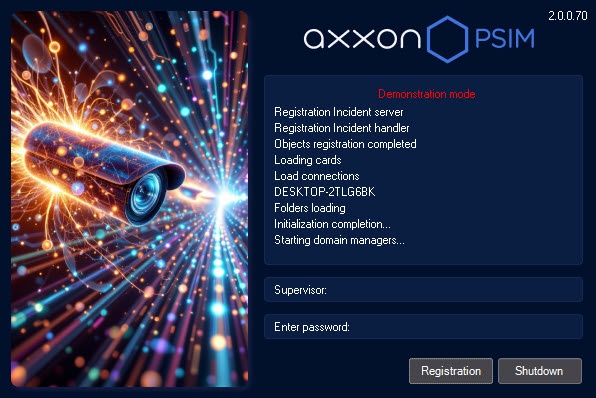
Software shutdown will begin, and a password may be required if Axxon PSIM is configured accordingly. Enter the password and click the Shutdown button.
| Info | ||
|---|---|---|
| ||
When shutting down Axxon PSIM in Client configuration in any way other than described above, particularly when restarting the computer without shutting down Axxon PSIM, the interface parameters may not be saved. For example, the information about saved layouts on the Video Surveillance Monitor may be lost. |
...
Overview
Content Tools