
Go to documentation repository


Page History
| Tip |
|---|
If a camera has a built-in or pluggable digital input, theThe Input object is displayed as a child object of the Camera in object in the object tree if a camera has a built-in or pluggable digital input. The total number of of Input objects for a camera corresponds to its the number of pluggable digital inputs a camera has.
If a device is defined as an IP Server, Input will be server, an input is displayed as a child object of a a Channel object in the object tree (see The Channel object).
To configure a the Input object object, perform do the following:
- Go to the Devices tab.
- Select the Select the Input object in the objects object tree (1).

Enable the device (2).
. If necessary, you can change the values of the parameters that are listed in the table:aParameter Value Description Other Enable Yes By default, the input is disabled. To enable it, select Yes No Name Input If necessary, enter the input name Input/output ID 0 (non-editable field) Normal status Open From the drop-down list, select the status of the input in which it must be when there is no alarm Closed Camera Camera 1.Camera From the drop-down list, select the camera with which you want to bind the input. As a result, the input becomes a child of the selected camera
Info title Note - If
a- the input is a child of
- the Channel object, then:
- Turning on a input automatically enables its parent Channel object.
- When you enable the input, the Channel parent object is automatically enabled.
- When you enable
- all Input and Output child objects
- Enter the name of the Input (3).
- Set the status to which the Input will be set when no alarm is present.

- , the Channel parent object is also enabled.
- Click the Apply button
 button.
The Input will then be switched to its assigned work As a result, the input is switched to the specified operating mode.
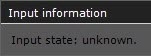
The current status state of the Input input is displayed in the Input information group.
If a Input is part of an IP server, the Input settings allow choosing the video camera of the IP server it will be matched to. When you do this, the Input object will appear as the child object of the specified camera in the object tree.
Overview
Content Tools