
Go to documentation repository


Page History
To search for events and reactions, do the following:
- Click the Search button (1). The Find window will open.
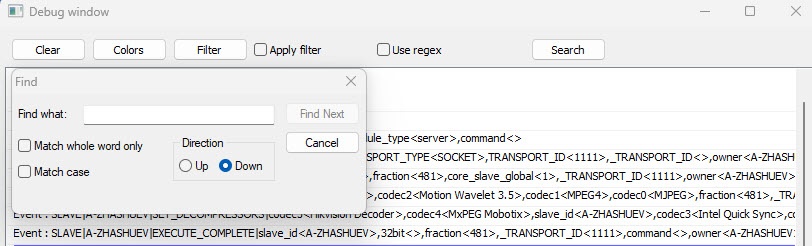
- Specify the search criteria in the Find what field (2).
- If you want to search for the entered string as an independent word, not present in other words as a part, but separated from them by at least one space, then set the Match whole word only checkbox (3).
- If you want the search to be case sensitive, then set the Match case checkbox (4).
- Set the Direction switchinto the position corresponding to the search direction (5).
- To view the next search result, click the Find Next button (6).
| Info | ||
|---|---|---|
| ||
To close the Find what window, click the Cancel button. |
...
Overview
Content Tools