
Go to documentation repository


Page History
...
- Go to the Hardware tab of the Systemsettings dialog box (1).
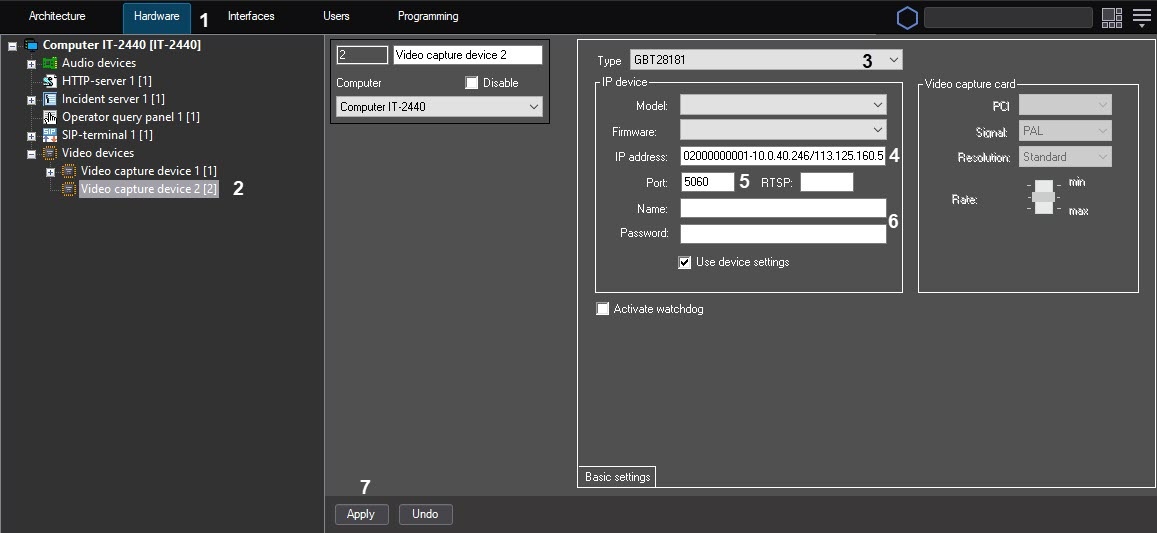
- Create a Video Capture Device object under the Computer object (2). The settings panel of the object appears on the right of the System settings dialog box.
- Select the GBT28181 value in the Type dropdown list (3).
- In the IP field specify the value of Device ID parameter set during IP device configuration (4). The following additional parameters can be specified optionally as follows:
[gbt://]deviceID[/videoPort]@serverID[-serverLocalIP[/serverExternalIP]]
OR
[gbt://]deviceID[/videoPortFirst-videoPortLast]@serverID[-serverLocalIP[/serverExternalIP]]
where:
deviceID is the Device ID parameter;
serverID is the identifier of the Axxon PSIM Server generated according to the same rules as the IP device ID (see above);
videoPort is the port for receiving video;
videoPortFirst-videoPortLast is range of ports for receiving video;
serverLocalIP is the local IP address of the Axxon PSIM Server, which sets the network interface on which the Server should be available;
serverExternalIP is the global IP address of the Axxon PSIM Server; this parameter is in use when the Axxon PSIM Server is behind the gateway. In this case, this IP address is specified as the SIP Server IP address in the IP device settings.Info title Examples. 34020000001320000008@34020000002000000001
34020000001320000008@34020000002000000001-10.0.40.246/113.125.160.58
34020000001320000008@34020000002000000001-10.0.40.246
34020000001320000008@34020000002000000001-/113.125.160.58
34020000001320000008/50200@34020000002000000001
34020000001320000008/50200-50210@34020000002000000001-10.0.40.246
In the Port field, enter the local port number that the Axxon PSIM Server shall listen for receiving messages from the IP device (5). Usually this is the default SIP port: 5060.
Info title Note. The IP device SIP port is detected automatically.
- The Name and the Password fields are not used.
- Click the Apply button (7).
- Create a Camera object under the VideoCaptureDevice object. The settings panel of the object appears on the right of the System settings dialog box.
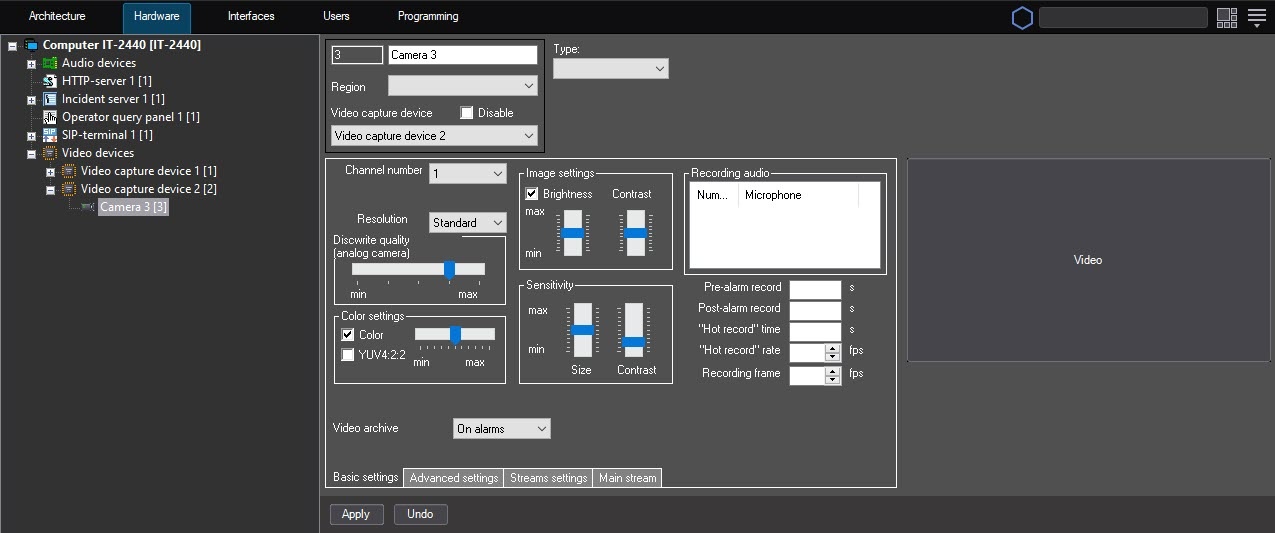
- Click the Apply button.
...
Overview
Content Tools