
Go to documentation repository


Page History
To access the dialog box from open a dialog window in Axxon PSIM, follow these steps do the following:
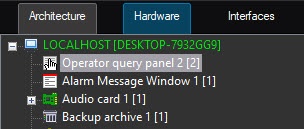
Create an the Operator query window under the panel object on the basis of the Computer object in on the Hardware tab of the Configure systems menu System settings window.
Note title ImportantAttention! When you create an the Operator query window in the number field you should panel object, specify the name of the saved file of the dialog box window form saved in the relevant directorcorresponding directory in the Number field. 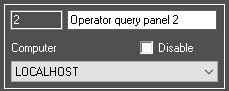
- Go to the settings panel of the Operator query windowpanel object.
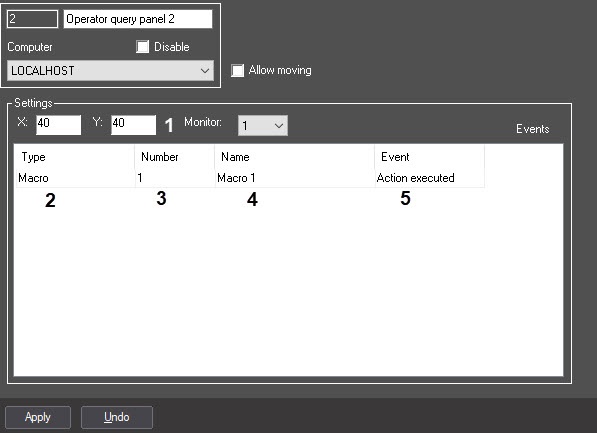
- Specify the window coordinates: in
- In the Xfield, specify the
- coordinate on the horizontal axis
- .
- In the Y field, specify the
- coordinate on the vertical axis (1).
- From the drop-down menu, list in the Type column, select the type of the object that trigger generates the appearance of a new dialog box window (2).
- From the drop-down menu, list in the the Number column, select the number of selected objected types the selected object type in the system (3).
- Double-click the left mouse button on cell in the Name column(4). The cell will be automatically completed with the name of the selected object is automatically displayed in this cell.Specify
- In the Event column, select the action to be
- that is performed upon the occurrence of a specified event, in the Event column
- after the corresponding event occurs in the system (5).
- Click Apply.
| Info | ||
|---|---|---|
| ||
| In the example shown in the illustration abovefigure, the dialog box, window created in the form , will be displayed from if the macro is executed. |
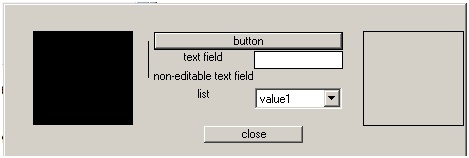
Dialog boxes windows are used for when programming the Axxon PSIMsoftware package. More For detailed information on about the built-in programming language can be found in the Axxon PSIM Software Package. Programming Guide.embedded programming language, see Guide for creating scripts (programming).
Configuration of the Operator query panel object Configuring the Operator query window is described in detail in the Administrator's Guide.
Overview
Content Tools