
Go to documentation repository


Page History
| Note | ||
|---|---|---|
| ||
A demo license has been added to the VL Fight add-on (see Installing DetectorPack add-ons). Demo The demo license is valid for 30 days after installation on one Server server or a virtual machine. |
To activate a license for the Fight detector VL (see Configuring the Fight detector VL), do the following:
Request EID and ProductID from the technical support.
Note title Attention! EID and ProductID are are linked with the MAC address of the Serverserver. If the MAC address changes, you need to request EID and ProductID again.
Open the license.conf file.
Code Block language bash sudo nano /opt/AxxonSoft/DetectorPack/VLSdk/gpu/data/license.conf
Enter the received EID and ProductID.
Code Block <param name="EID" type="Value::String" text="received EID"/> <param name="ProductID" type="Value::String" text="received ProductID"/>

- Save the file.
Run the FingerprintViewer file. You will receive the FingerPrint data.
Code Block language bash sudo /opt/AxxonSoft/DetectorPack/VLSdk/gpu/FingerprintViewer /opt/AxxonSoft/DetectorPack/VLSdk/gpu/data/license.conf

Go to the website.
Note title Attention! If you fail to log in to the website, contact the technical support.
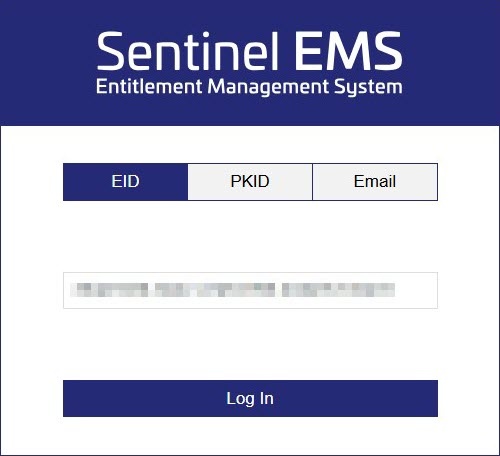
Tip - Log in using the received EID.
- Fill in the user registration data.

- Click the Save button.
- Click the Activate button to activate the license.

- In the Activatee Email field, specify the email address to confirm the license activation. The licenseFile.v2c file with license data will be sent to the specified email address.

- In the Device FingerPrint field, specify the FingerPrint data.
- Click the Complete Activation button.
Place the licenseFile.v2c file in the required directory: /opt/AxxonSoft/DetectorPack/VLSdk/.
- Make sure the license is successfully activated. If the Server server is connected to the internet, the license will be checked automatically.
| Info | ||
|---|---|---|
| ||
If the Server server doesn't have an internet connection, do the following:
The license is activated on the Server server with no internet connection. |

The Fight detector VL license is activated.
Overview
Content Tools