
Go to documentation repository


Page History
...
Example of applying the reset option: the administrator has created a two-step logic, in which the second step is the button without the set Finish parameter and disabled multitasking for this button (see Configuring the button). You cannot complete event processing with such logic. In this case, the administrator can allow multitasking for the button by setting the Apply to processed events checkbox and clicking Apply. As a result, the events processed with this logic will be reset to the Waiting for handling status, and operators can restart the event processing with the updated logic (see Events control and processing Control and handling of events using the Incident manager).
Removing logic
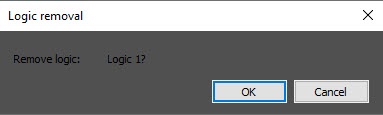
To remove a logic, select it in the list of logics (4) and click the - button (3). In the window that opens, confirm the removal.
| Info | ||
|---|---|---|
| ||
The logic of event processing is applied to an event at the moment when the event gets into theincident handler and is displayed in the incident manager. Accordingly, if you change the logic, the changed logic will be applied to the events that occurred after it was changed. If the group event processing is enabled, the updated logic will be applied to the new group of events after the existing group is closed. |
...
Overview
Content Tools