
Go to documentation repository
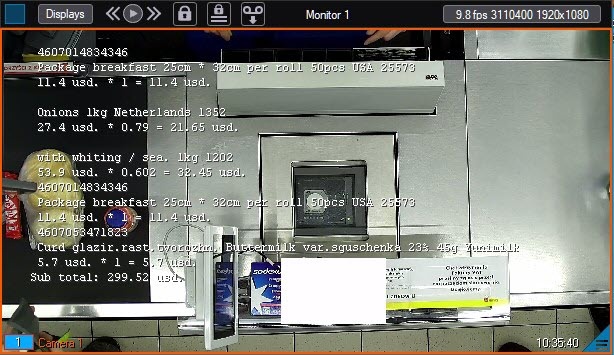
You can use the monitor to view live video from a surveillance camera together with the contents of the sales receipt.
Video is displayed in the surveillance window, and information from a receipt is
The Monitor is used for simultaneous real-time viewing of video images and receipt contents.
Video images are displayed in video tiles, while the receipt details are superimposed over the video image.
| Info | ||
|---|---|---|
| ||
By default, the captions timestamps caption timestamp (UTC) are not isn't displayed. To display in the Monitor the time time at which the captions appear (UTC) when each caption appeared, it is necessary to change the PrintTime key value to 1 (for details see Registry keys reference guide, for details about on each line in the monitor, you must change the value of the PrintTime parameter to 1. To ensure that the beginning, middle, and end of the receipt are saved in the buffer and that the captions are displayed only after the receipt start event, use the parameter WaitingBodys=1 of the registry HKEY_LOCAL_MACHINE\SOFTWARE\WOW6432Node\AxxonSoft\PSIM\POS. For details, see Vertical solutions. For the information on working with the registry, see see Working with Windows OS registry). |
| Info | ||
|---|---|---|
| ||
| Please, refer to the For detailed information on working with the monitor, see Axxon PSIM. Operator’s Guide document for detailed description of Monitor usage. |

