
Go to documentation repository


Page History
The interface of the System settings dialog box window consists of the following elements:
- Main control panel.
- Tabs panel.
- Objects tree.
- Context menu.
- Objects Object settings panel.
- Connection settings table.
- The Apply and Undo buttons.
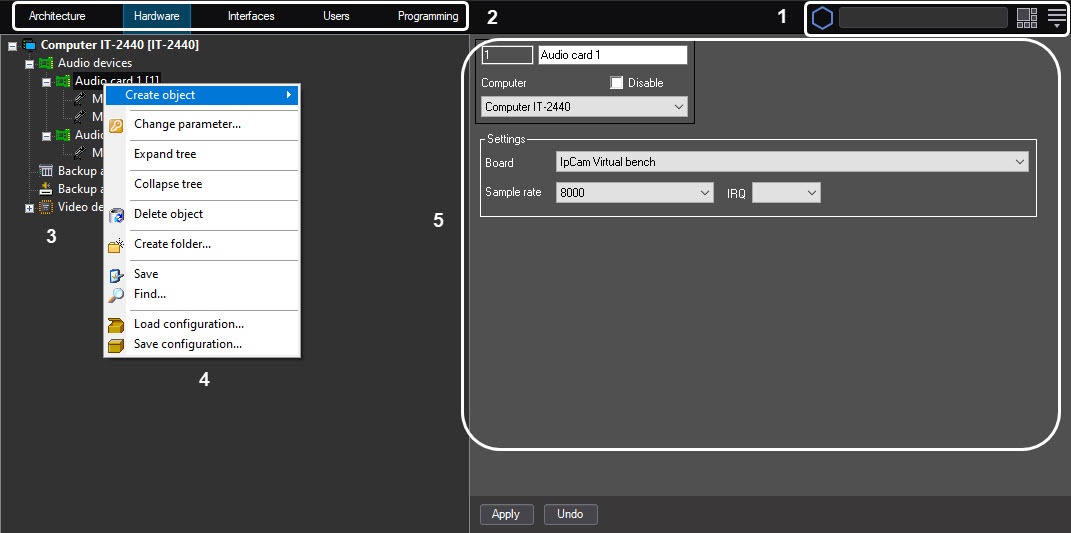

The System settings dialog box window contains the following main tabs:
- Architecture.;
- Hardware.;
- Interfaces.;
- Users.;
- Programming.
These tabs are used while creating and configuring during the process of creation and configuration of the digital video surveillance and audio control system.
Overview
Content Tools