
Go to documentation repository


Page History
...
- Go to the Users tab in the System settings dialog box (1).
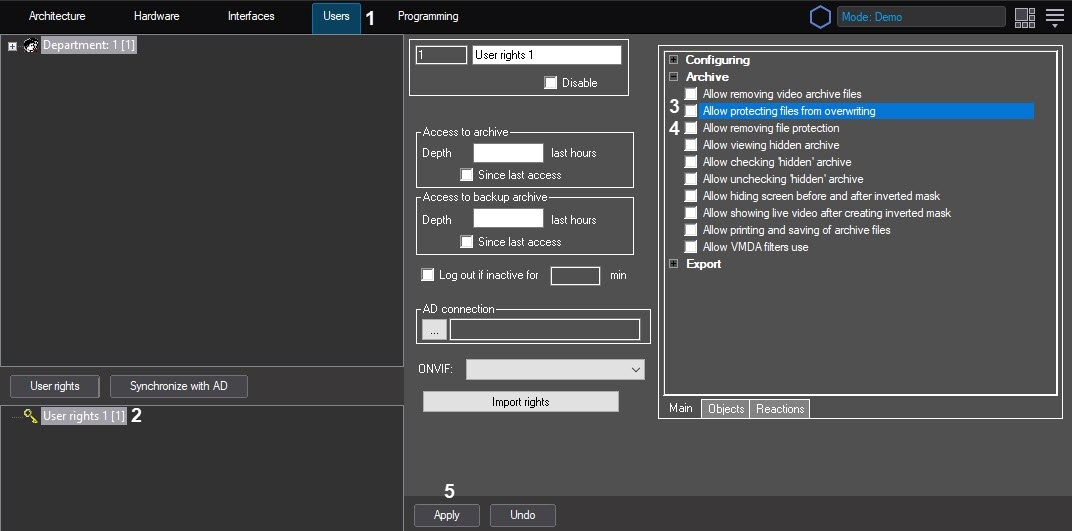
- In the objects tree located under the User permissionsrights button in the Users tab, select the same-name object corresponding to the Operator access permissions which should be changed (2).
- The settings panel of the User permissionsrights object will display on the right of the System settings dialog box.
- To allow the operator to protect archive files from rewriting, set the Allow protecting files from overwriting checkbox (3). Don't set this checkbox if the operator should not have this permission.
- To allow the operator to disable protection of files protected from rewriting, set the Allow removing file protection checkbox (4). Don't set this checkbox if the operator should not have this permission.
- Click the Apply button (5).
...
Overview
Content Tools