
Go to documentation repository


Page History
...
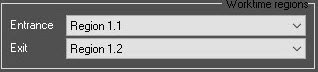
- From the Entrance and Exit drop-down lists, select the regions located on the entrance and exit sides of the door, respectively.
- Click the Apply
 button to button to apply the settings.
Overview
Content Tools