
Go to documentation repository


Page History
It is possible to restrict You can restrict the access level of the Gate users for providing access users, so that access is provided only through one controller reader of controller.
Switch over controller to To do this, you need to switch the controller to Two-door pass (it is set by connecting straps, see documentation for the controller) and configure time zones in such a way as to the schedules so that their first interval referred refers to the first reader and the second interval referred refers to the second reader.
For example, if you want to grant access only by through the first reader to an employee which have the who has Access level for entry and grant access only by through the second reader to an employee which have the who has Access level for exit, make make the following settings in the Access Manager module (see see Creating a time zone in the Access Manager software module and Creating access levels sections):
- Create and configure the Time zone time schedule for entry.

- Create and configure the Access access level for entry by specifying the previously created Time zone for entry for time schedule for entry for the Gate Parking access point.

- Create and configure the Time zone time schedule for exit.
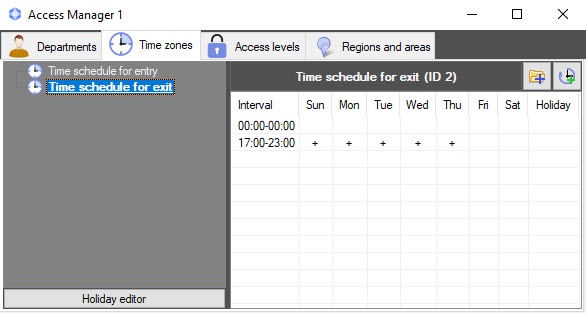
- Create and configure the Access access level for exit by specifying the previously created Time zone created time schedule for exit for the the Gate Parking access point.

Overview
Content Tools