
Go to documentation repository


Page History
In Axxon PSIM one , youcan configure the synchronization of the video archive of the main and backup Serversservers. In this case, after restoring you restore the main Serverserver, the video archive will be transferred from the backup Server server using the the Backup archive module.
| Note | ||
|---|---|---|
| ||
Only video records recordings without sound audio are moved from backup Server to main Server at synchronization. If during the archive synchronization of the backup and main servers. In this case, if you configure the synchronous recording of video and audio is configured, sound will be eliminated at transmission files from backup Server to main Server, then when you transmit an archive from the backup server to the main one, the audio will be lost, and only video files without audio will get to be on the main Serverserver. |
To use the archive synchronization mechanism, create a the Backup archive object under the same on the basis of the same Computer object as the Failover service object.
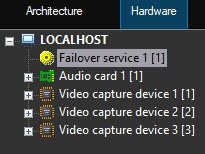
Cooperation Enable cooperation with the Failover failover service is to be enabled on the settings panel of the Backup archive object (see Enabling cooperation of Backup archive with Failover service).Configure
To configure synchronization on the main Server as followsserver, do the following:
- Go to the settings panel of the Computer object corresponding to the main Serverserver.

- Go to the Archive synchronization tab (1).
- Configure the list of cameras, the archive of which is must be synchronized when restoring you restore the main Serverserver:
- Select
- From the camera ID in the Number dropdown
- Number drop-down list (2), select the camera ID. Select the camera name in the Name dropdown
- From the Name drop-down list (3), select the camera name.
In From the Backup archive dropdown list drop-down list (4), select the name of the Backup archive object configured to cooperate with the Failover failover service and located on the backup Server server where the selected camera is transferred to when the main Server server fails (4).
Note title Important! This step is mandatory. If you don't select the Backup archive is not selected object, the camera is not isn't saved in the list. Configure Backup archive before configuring archive synchronizationIf you don't configure the backup archive, configure it first (see Configuring backup archiving).
- Repeat steps a-–c for all required cameras.
- Click the Apply button (5).
The archive synchronization of main and backup Servers servers is now completedcomplete.
Overview
Content Tools