Unable to render embedded object: File (books.jpg) not found.
Go to documentation repository

Page History
...
For example, the interval is set to 10 minutes on this sample graph here. The current time (1:07:33 p.m.) is the last point on the graph, so after rounding this to the next whole minute we get the value for the next-to-last point: 1:07:00 p.m. Correspondingly, the points before it are 12:57:00 p.m., 12:47:00 p.m., etc.

When the current time becomes 1:08:00 p.m., the points will be updated to 12:58:00 p.m., 12:48:00 p.m., etc.
...
For example, for this graph with a time interval of 2 hours and a current time of 1:48:23 p.m., the current number of events equals 413, for the period from 11:48:00 a.m. to 1:48:00 p.m.
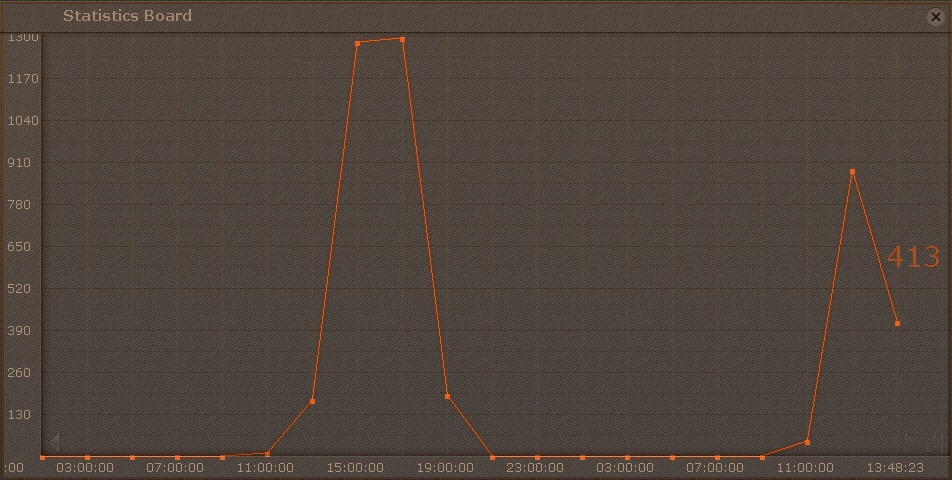
To scroll through the graph, use the arrows arrows  on the graph edges. To jump to the last point on the graph, click the X the
  button.
Clicking anywhere on the graph jumps to the nearest point and the relevant value is indicated.

Overview
Content Tools